Adding motion to a patch
A sound that never changes sounds synthetic. The difference between a flat patch and a living one is movement: a filter that opens as you hold a note, a pitch that drifts, a level that follows your touch. Kiwisynth gives you several ways to add movement, and the skill is choosing the right one for each job and layering a few so the sound never sits still.
This guide is about choosing and combining. Each source of movement has its own feature page with the full detail.
Ask what kind of movement you want
Before reaching for a control, decide what the movement should do. The answer points to the right tool.
- It moves once over the note and settles. The filter opens and closes, the detune widens and comes back. Use per-knob motion or a modulation envelope.
- It repeats steadily. Vibrato, a tremolo, a wobble. Use an LFO.
- It follows a shape you draw, perhaps looping. Use an MSEG.
- It should feel human. A held note that drifts and breathes. Use Breath.
- It should respond to how you play. Movement that grows the longer you hold, or reacts to the chord. Use the Bloom sources.
Motion you attach to a knob
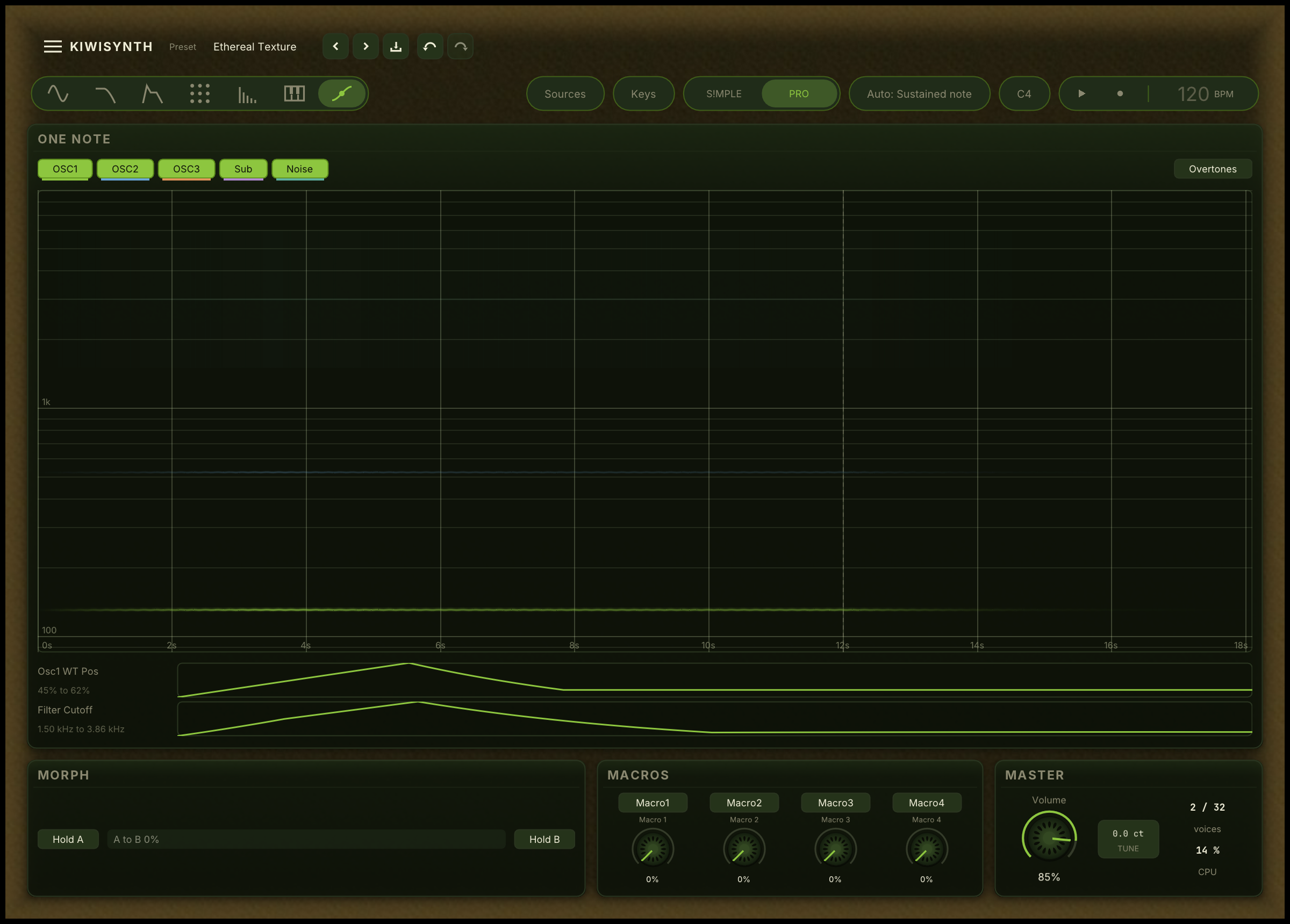
The most direct movement is a contour attached straight to a knob. The knob's setting stays the resting value, and the contour leaves it and returns over the note. Right-click a knob and pick a shape under Move over the note: a swell that opens and returns, a rise that climbs and holds, a fall that drops and holds.
This is the first thing to reach for when one control should move once across the note. It needs no routing and the knob keeps its plain meaning. See motion.
Envelopes and MSEGs
A modulation envelope is a note-triggered shape, the same attack, decay, sustain and release idea as the amp envelope, that you route to any control. Use one when several controls should follow the same triggered shape, or when you want the movement to hold while the key is down and release when you let go.
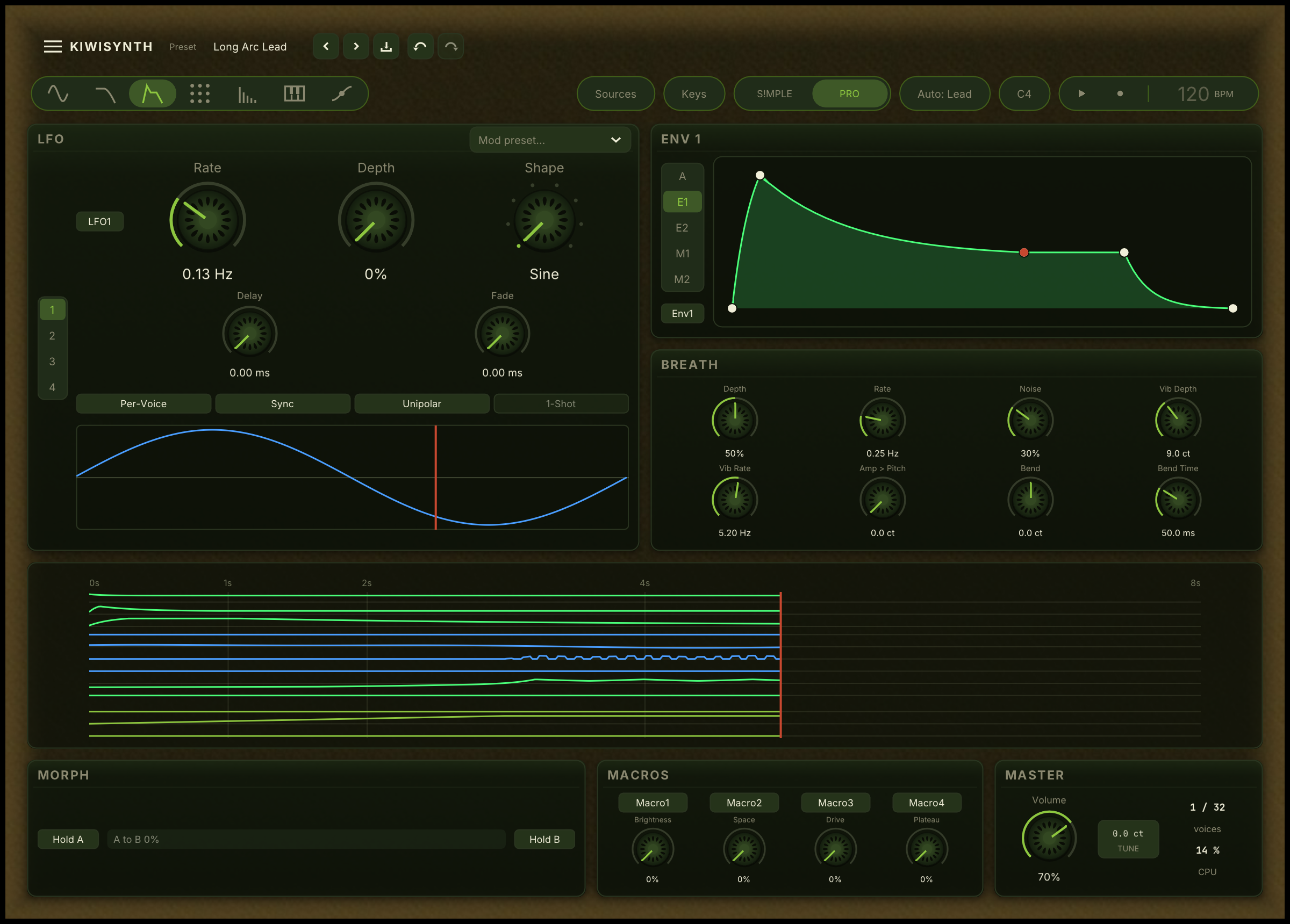
An MSEG is a contour you draw point by point, and it can sustain or loop while the note is held. Reach for it when the shape you want is more involved than a swell or a single envelope, or when it should repeat in a custom rhythm. See envelopes.
LFOs
An LFO is steady, repeating movement. It runs free or locked to the host tempo, in a range of shapes. Route a slow LFO to pitch for vibrato, to level for tremolo, to cutoff for a wah. The Chaos shape moves smoothly but never repeats, which is the way to add drift that does not sound like a loop. See LFOs.
Breath and the Bloom sources
Breath is a per-note humanizer: it adds the small, correlated drift in pitch, tone and volume that a human player puts into a held note. Turn it up on sustained sounds to stop them sounding mechanical. See breath.
The Bloom sources react to how and what you play. NoteBloom grows the longer a note is held, RepetitionBloom rises each time you return to a pitch, and ChordComplexity reads the tension of the chord. Route these when you want the sound to respond to performance rather than to a clock. See modulation.
Give the movement a shape in time
Deciding how much a control moves is only half of it. The other half is when, across the note, it moves that much. A patch where every movement runs at one strength from the first instant to the last sounds synthetic even when a great deal is moving, because nothing arrives and nothing settles. This is the difference between a patch that is modulated and one that is alive.
Pick the shape from the instrument:
- A plucked or struck sound is widest at the attack and settles. The body is chaotic at the moment it is hit and calms as it rings, so the movement belongs to the first few hundred milliseconds. Use a modulation envelope with a near-zero attack, a short decay and zero sustain.
- A held sound is still at the attack and grows. A singer starts a note straight and leans vibrato in once it has spoken, and a pad is bought for what it does after the first second. Use an LFO's Delay and Fade for the quick version, or Bloom for something slower.
- A texture leaves and returns. Use a contour on the knob.
A repeating movement can be shaped too, not just switched on late: route an envelope to an LFO's Depth and the wobble itself grows or narrows. See modulation.
The instrument pages under instruments state which shape each kind of sound is expected to have, and why.
Combining motion
A patch feels alive when several movements run at once on different time scales, and dead when they all pulse together.
- Give each motion its own length. A filter swell over one length and a detune drift over another never line up, so the sound keeps changing. Two movements on the same length sound like one.
- Mix one-shot and continuous. A contour that shapes the note's arc, plus a slow LFO or Breath underneath for ongoing life, covers both the shape and the texture of movement.
- Let the slow things be slow. Texture and pad movement should take seconds, not fractions of a second. Reserve fast movement for vibrato and effects.
See it all in one place
The Motion page draws a single note's life on one screen: each sound source as a band and every contour you attach as a lane, all on the same time axis. It is where you check that your movements sit at different times rather than stacking up. When a patch feels static or busy, open it and look at when each thing moves. See motion.