Early Preview · Kiwisonic, Kiwisynth and Kiwipulse are free during early preview. The shape of all three is still being figured out, and feedback is what drives them forward.

Drums that change from hit to hit

A drum instrument built on one idea: a drum is something hitting something that rings. Pick the hit and pick the body, then edit by dragging the picture of the sound. Every parameter can differ on a single strike, which is the one thing a host cannot reach into an instrument and do. VST3, CLAP and standalone.

Step 13 gets a rod instead of a beater

A programmed drum part gives itself away because every hit is the same sample at a different volume. Kiwipulse fixes that at the source: a parameter lock pins any parameter to a different value on one hit, and since the hit type and the body type are ordinary parameters, they lock too. One strike rings on a different body and it is still the same drum.

  • Everything locks, including the choices that are not quantities: click a recorded body's waveform on hit 13 and that one strike plays backwards, with no second track and no audio clip
  • Breathe is the living version: a per-hit spread that re-rolls every pass, so a hat varies the way a drummer does rather than sitting 6 dB down forever
  • Locks are non-destructive. Clear one and the hit springs back to the track's sound
  • The random draw is seeded by position, so a loop sounds the same twice and an export is reproducible while still feeling alive
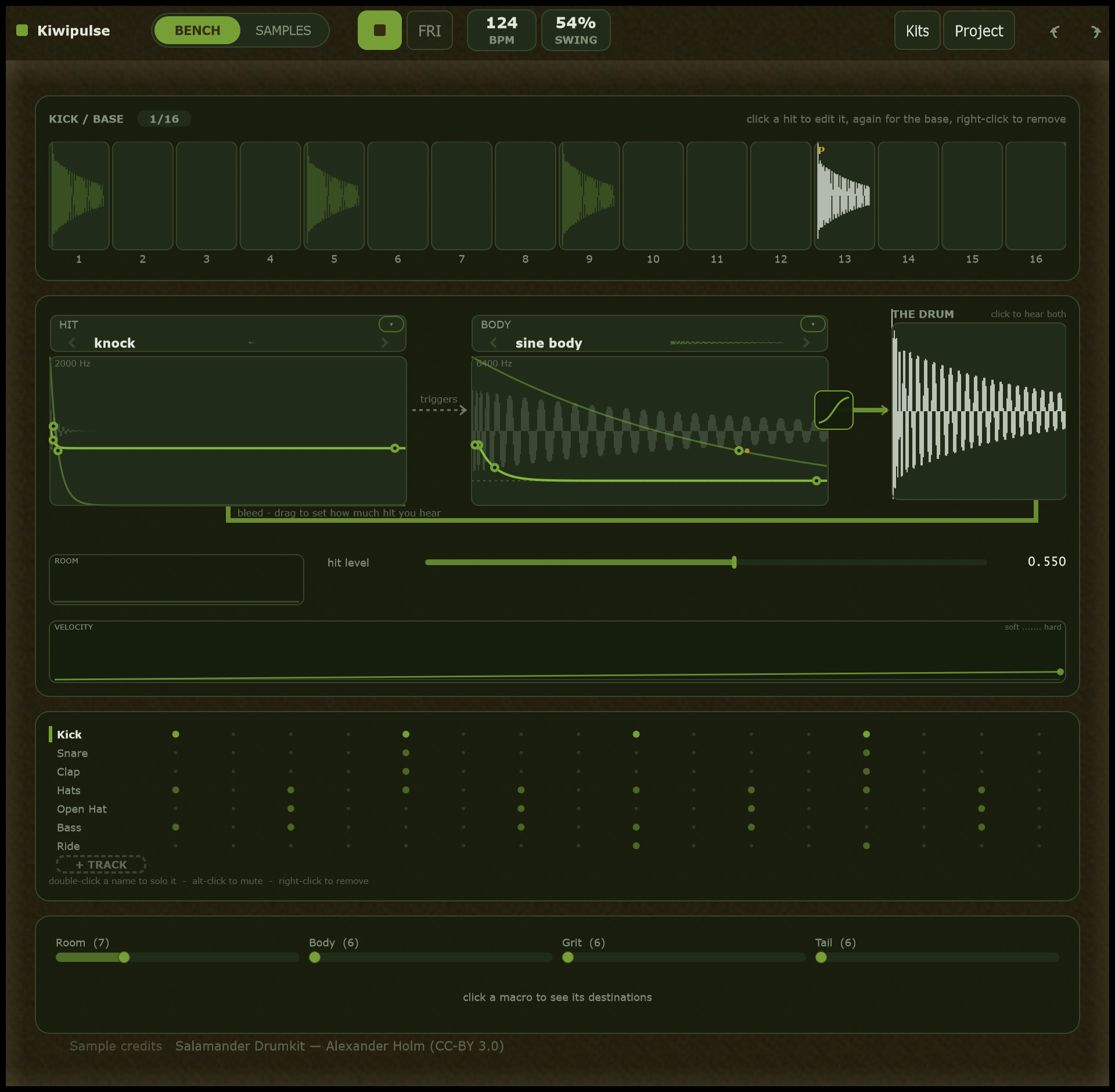
The whole Kiwipulse window on the Bench: the track list, the drum drawing, the sixteen-hit strip and the macro bar

Harder is a different sound, not a louder one

On a real drum, hitting harder changes the timbre: brighter, more open, more shell. Draw how a parameter answers to velocity on the Bench's velocity strip and your DAW's existing velocities do the rest, with no automation to write. It is the tier of per-hit variation that travels into host playback for free.

The velocity ramp, drawn soft on the left, mapping how hard a hit lands to the timbre it produces

One machine covers the whole kit

You do not pick a kick engine and then hunt for a kick in it. You pick what hits and what rings: a beater into a sine body is a kick, wires into a shell is a snare, metallic noise into nothing is a hat. Each half comes from a library of named, pre-dialled options that plays as you land on it, and each draws its own one-shot beside its name so you can see the difference before you hear it.

  • Bass, stabs and acid are the same machine: scan the wavetable body to a saw, open its detune, shape it with the voice chain's filter
  • Sample plays recorded one-shots and loops; Granular sprays a source into grains for textures, smears and beat-repeat
  • Every machine shares one per-voice chain: transient shaper, amp envelope, drive, bitcrush, sample-rate reduction and two filters, transparent until you move something
  • Chain parameters are appended to the machine's own, so they lock, take an LFO and answer to a macro like everything else
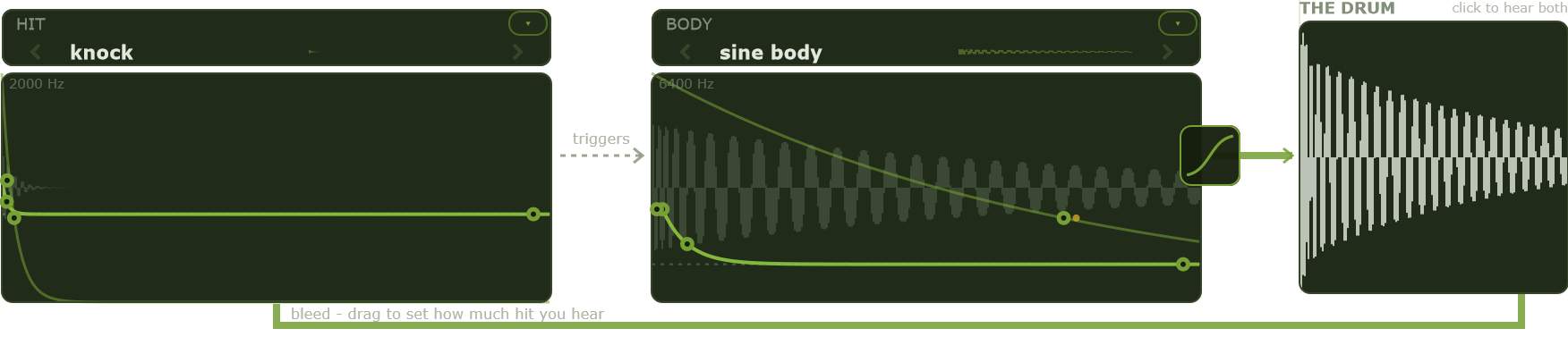
The Drum machine whole: the hit half and the body half, the two wires, and their sum

You edit the picture, not a row of faders

Each half draws itself and the parameters are the curve. Drag the falling pitch curve's knee to set how fast the pitch drops, the dashed landing line to set where it ends up, the two wires into the sum to set the balance between hit and body, the noise band to move and tighten it. Two gestures work on any handle: alt-drag pulls an LFO open on the parameter you are touching, shift-drag gives it a breathe.

It all adds up

Two LFOs per track, the four macros, velocity and per-hit randomness all sum into the same value the machine reads. That one rule, a base plus offsets, is the whole modulation model.

Seen before heard

A locked hit renders its own drum in the strip and carries a P badge; a breathing one draws its corridor and carries a tilde. The waveform shows that a hit differs, the badge says why.

No hidden panel

An LFO is opened on the handle it will move, not in a separate editor. A bright dot orbits the handle showing the value being heard right now.

Four knobs your host can ride

A macro is one control that moves many parameters at once: open the whole kit up, dirty it, sweep a build. Each of the four drives up to eight destinations, and those destinations can span any track, so one knob brightens the hats, lengthens the snare and detunes the bass together. The macro bar is pinned to the bottom of every page, and the host plays it by note or automation.

An audition groove, not an arranger

A sixteen-hit strip loops while you design, so you hear a lock or a breathe in context. Nudge a cell sideways for the push and drag of a human player, retrigger a hit for a roll, choke one drum with another. It exists to show the sound off, and it stays inside the plugin.

Pick by meaning

Adding a destination opens a browser of the selected track's parameters, grouped by section, each with a one-line hint of what it does. Drag the target handle to set how far the macro pushes it, from a nudge to the full range.

A kit is the sounds, not the beat

The sounds on every track, plus the macros and the voice config, are the kit. Your beat lives in the host. That split is what lets you re-skin a groove with a new kit, or reuse a kit under a new beat, without redoing either.

Three sizes of starting point

A card preset sets only what that card owns, so you learn a card by watching just its values change. A whole-sound preset loads a complete sound. A kit loads the whole rack.

Kits arrive playing

Every built-in kit ships with its own one-bar groove, so loading one and pressing play gives you that style straight away: Crushed Techno, Acid, Lo-fi Hip-hop, Hard Rave, Punch House, IDM Crusher, Layered Trap, Modern Acoustic and 70s Rock.

One file, audio included

A project saves as a single package that bundles the pattern, the kit, the project metadata and the actual WAV audio from the sample pool, so it travels as one file.

It refuses to be a DAW

There is no song timeline, no scene launcher and no arranger page. The window at the top of this page is all of it. Your clip in the host is the arrangement, and that is deliberate: the host already does that well, and an hour spent rebuilding it inside a plugin is an hour not spent on the sound. What Kiwipulse owns instead is the part no host can reach, how the drum changes from one hit to the next.

The sixteen-hit strip, each hit drawing its own waveform, with lock and breathe badges

Where it sits

Kiwipulse is measured against two groups: the hosts that own the beat, and the drum instruments that own the sound.

Against Ableton Live and Bitwig

Both ship per-note chance, probability, velocity deviation and repeats. Those decide whether a note fires and how hard. Neither reaches inside an instrument to change what it sounds like on one hit, because a host can send only a note number, a velocity, a channel and, where supported, note expression. Everything else is automation, which is per-time rather than per-note.

Against the drum instruments

Elektron's Analog Rytm and Digitakt line, Battery, Kontakt, Superior Drummer, Addictive Drums, Microtonic and XO. Elektron got here first: parameter locks have been theirs for years, so against those boxes per-hit locking is parity rather than an edge, reached inside the host you already work in instead of beside it. The sampled kits go the other way and split a drum across keys, a closed hat, a pedal hat, an open hat and a rimshot as separate recordings. Kiwipulse keeps one drum and changes it.

Specifications

MachinesDrum (a hit and a body, covering the whole kit), Sample, Granular. All three pitched
Voice chainPer voice, shared by every machine: transient shaper, AHD amp envelope, drive, bitcrush, sample-rate reduction, then two filters (low-pass, high-pass, band-pass)
TracksUp to 8, each with its own sound and audition steps
Modulation2 LFOs per track, 4 kit macros with 8 destinations each spanning any track, velocity to timbre, per-hit p-locks and breathe. All of it sums into one value per parameter
Audition groove16 hits per track, micro-timing to half a step, retrig, choke groups, tempo-synced envelopes
MIDITwo fixed zones: drum pads on C4 to G4, one per track, and macros on C1 to D#1. Note velocity carries through
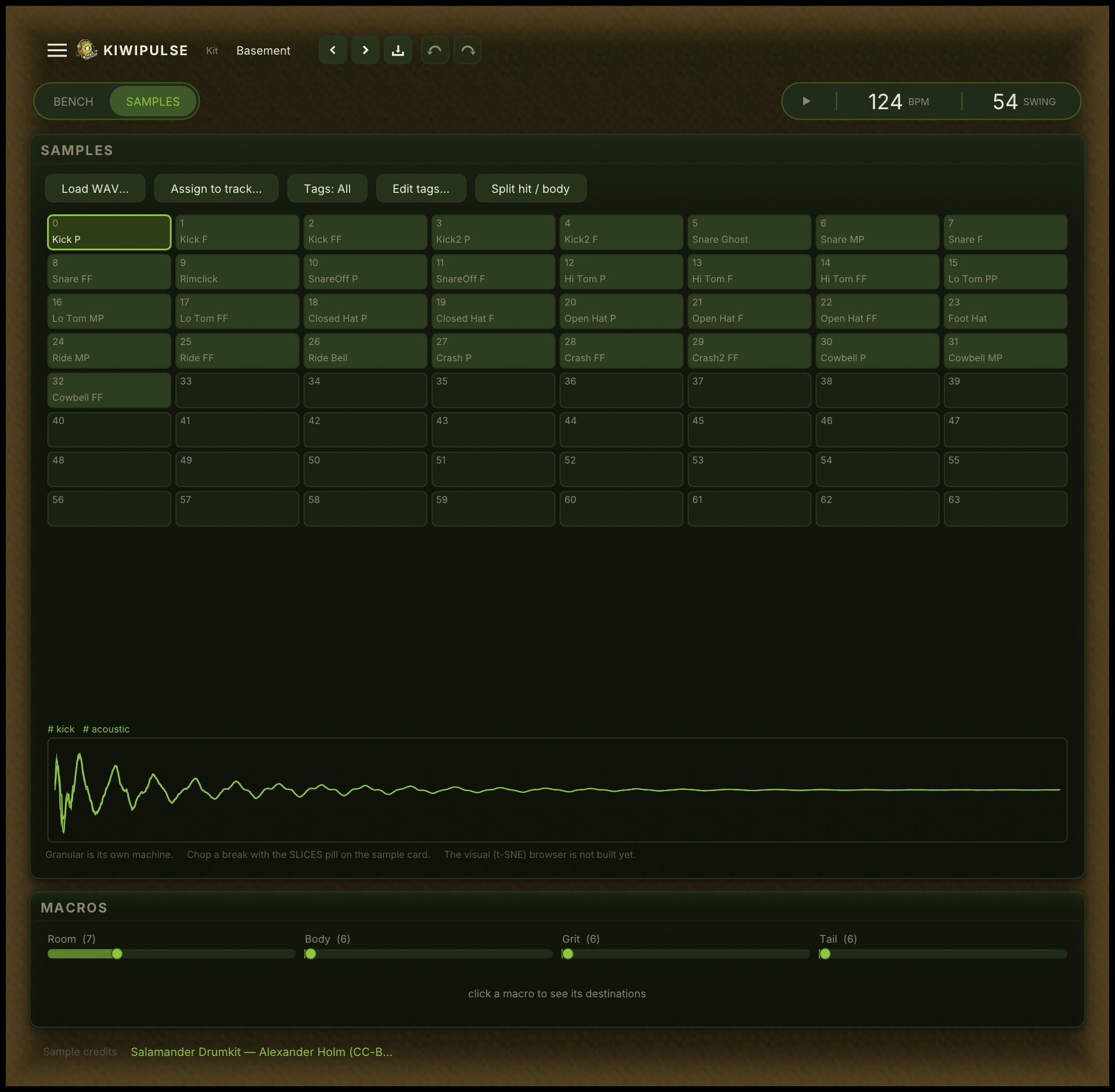
SamplesWAV import into a shared project pool, with tags
ProjectA single .kpp package: pattern, kit, sample audio and metadata
FormatsVST3, CLAP, and standalone

Get Kiwipulse

As a plugin for your DAW, or standalone. Free during early preview. The manual covers every control, and its build guide makes a five-piece kit from scratch.

Download