Early Preview — Kiwisonic is in early preview. Download is free, purchasing is not yet available.

Kiwisynth

A wavetable synthesizer that breathes.

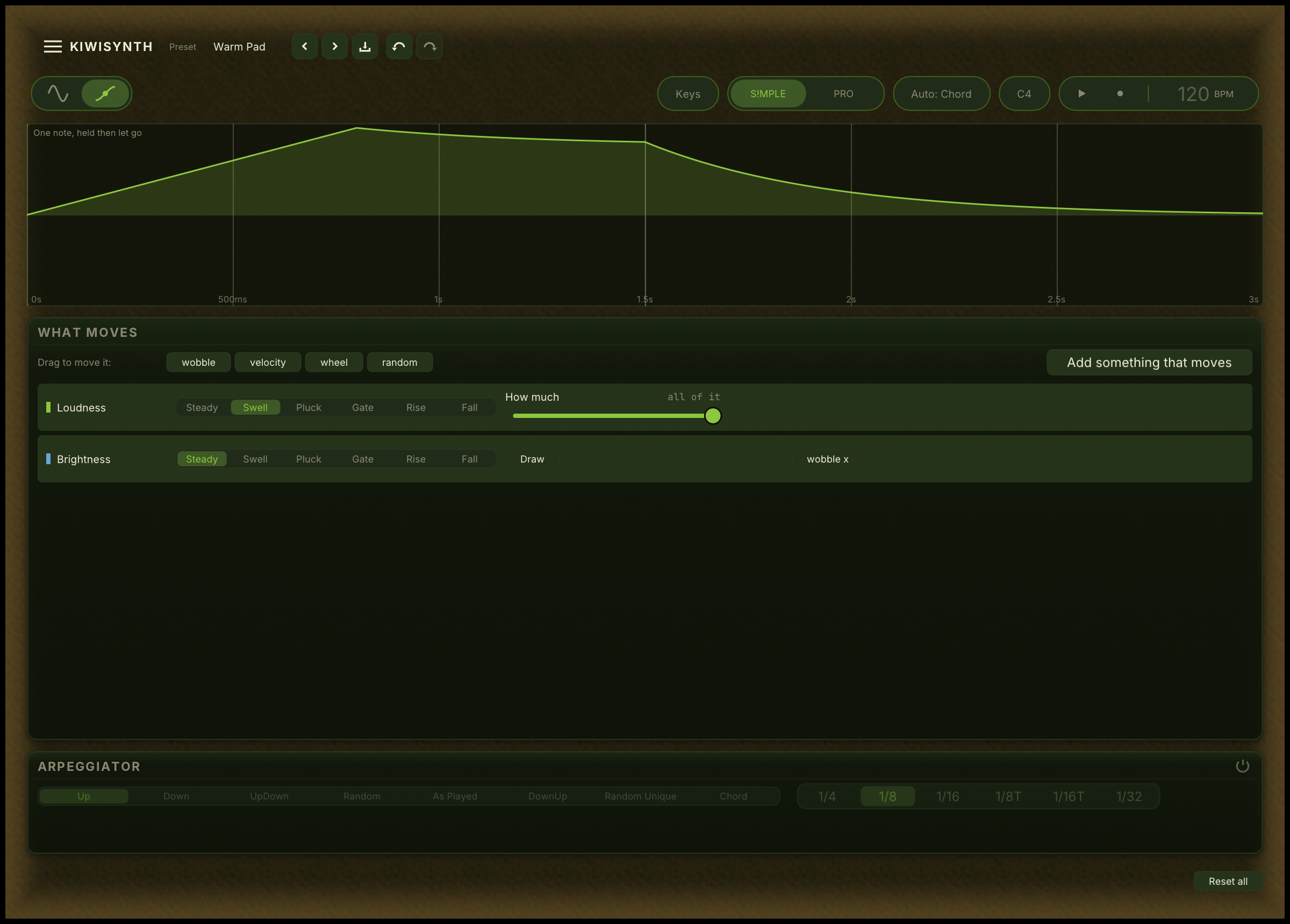
Every preset ships with subtle motion built in: drift, modulation, and micro-instability that make a sound feel organic from the first note. No setup required. Just play.

For sound designers who want to go further, Kiwisynth opens into a full modulation playground. 19 mod sources, a drag-to-assign mod matrix, audio-rate modulation, and a cross-voice awareness system that reacts to how you play, not just what you play.

VST3 CLAP Windows

macOS and Linux builds are planned for a later release.

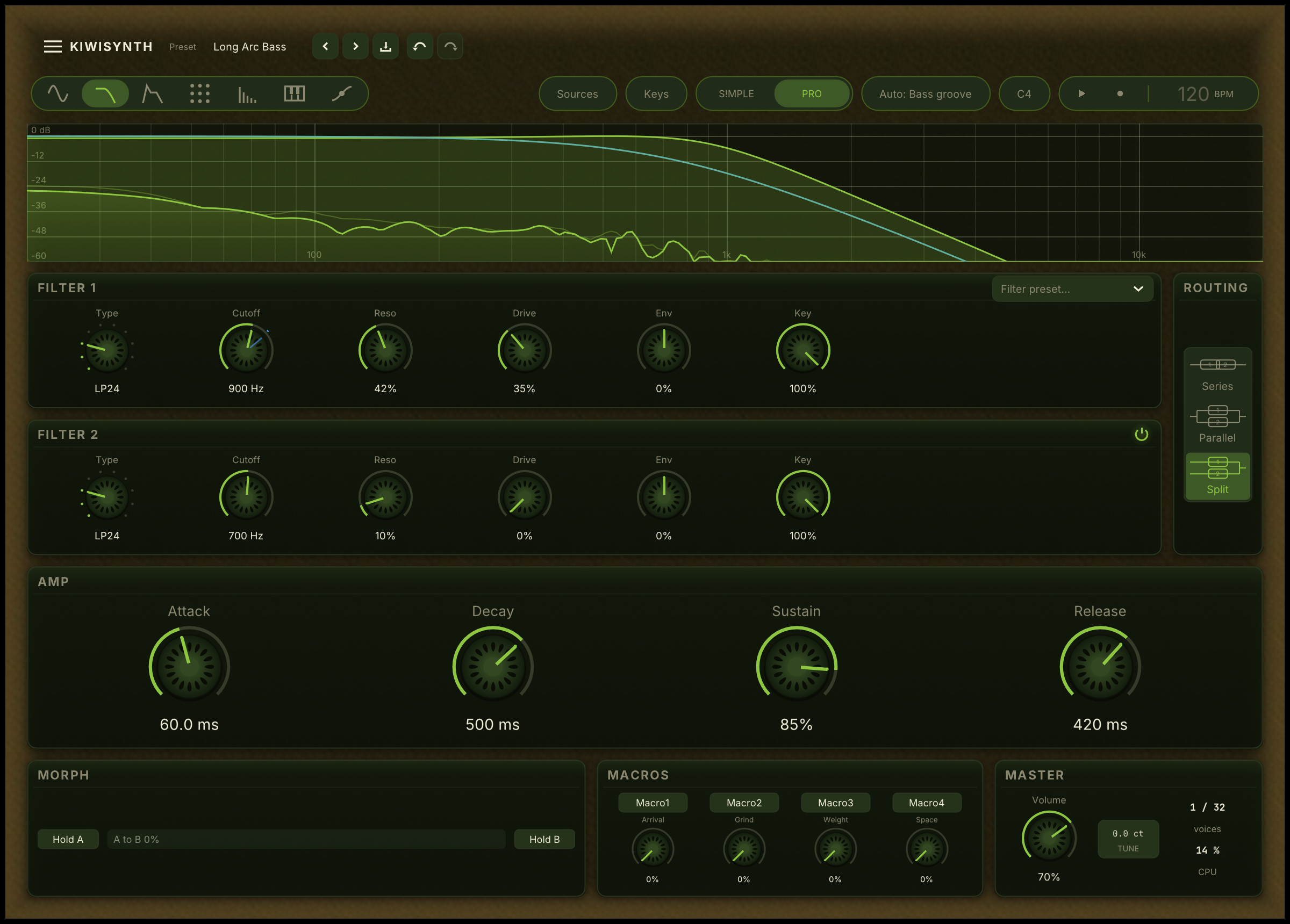
Kiwisynth Pro mode interface

Two ways to play it

The same synth, available wherever you compose. Inside Kiwisonic on every track, or as a plugin in any modern DAW.

Inside Kiwisonic

Kiwisynth is the default synth on every Kiwisonic instrument track. Pick a factory preset from the browser, or open the editor and shape the sound while you write. Presets and patches travel with the project.

VST3 and CLAP plugin

Load Kiwisynth in any Windows DAW that supports VST3 or CLAP. The same engine, the same presets, the same mod matrix. macOS and Linux builds are planned for a later release.

v0.5.0 · ~3 MB

Approachable for new synth users, deep for sound designers

Switch between modes at any time. Both edit the same patch.

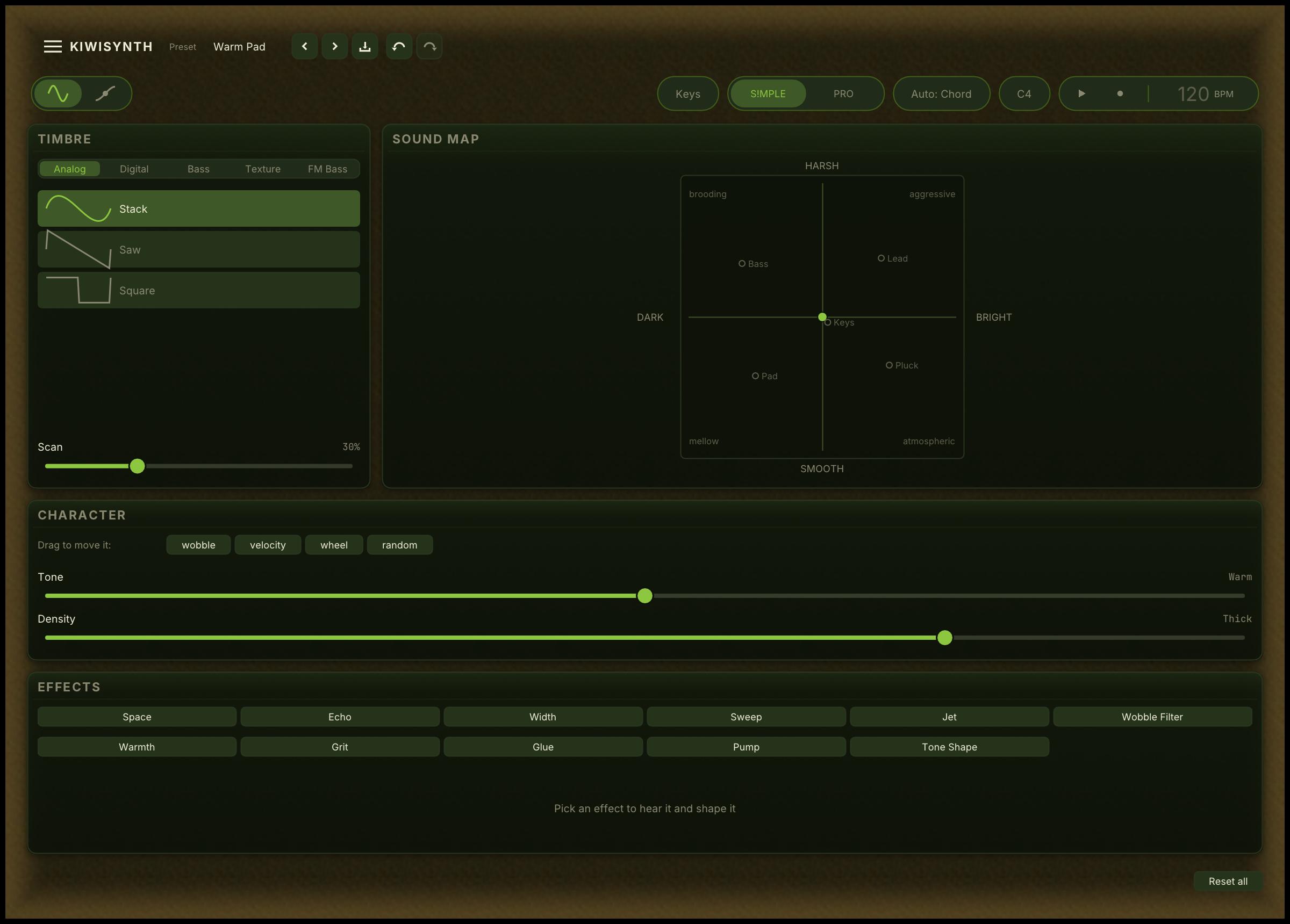
Kiwisynth S!MPLE mode with morph pad and macro rows
S!MPLE mode · for new synth users

Shape sounds without learning synthesis

Pick a timbre, then drag a dot across a 2D pad to move between bass, lead, keys, pad, and pluck character. Five rows of one-click presets cover Tone, Punch, Movement, Space, and Density. No oscillators, filters, or envelopes to learn first. You make sounds by listening, not by reading a manual.

Kiwisynth Pro mode with full synthesis layout
Pro mode · for sound designers

The full synthesis layout

Two wavetable oscillators, a sub-oscillator, a noise oscillator, a zero-delay-feedback filter, four LFOs, two envelopes, two macros, and a five-effect chain. Everything is a mod source or a mod target. The same patch you started in S!MPLE mode, opened all the way up.

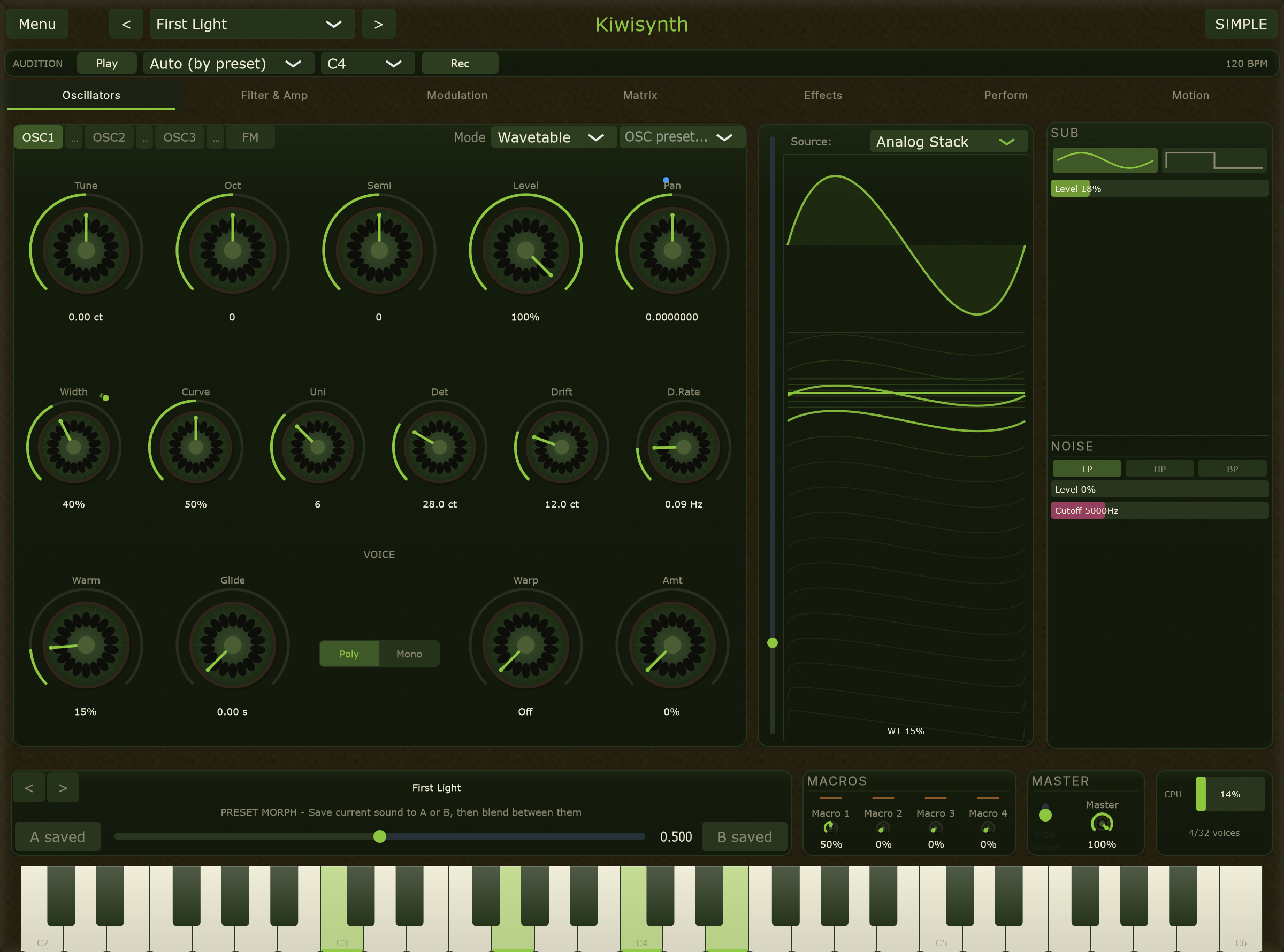
Wavetable engine

Two independent wavetable oscillators with real-time frame morphing. Sweep smoothly between waveform shapes using cubic interpolation, from simple sines to complex harmonic stacks.

Real-time morph

Automate or modulate the wavetable position for evolving timbres that never sit still.

Serum-compatible import

Load multi-frame wavetable WAVs directly. Bring your existing library into Kiwisynth.

Band-limited playback

11-level mip-mapping eliminates aliasing without the CPU cost of oversampling.

Factory tables

Saw, Square, Sine, and AnalogStack, a morphing table that sweeps from pure sine to full harmonic richness.

Sub and noise oscillators

A sine or square sub-oscillator one octave below OSC1 for low-end weight, plus a filtered white noise source for breath and attack transients.

Phase modulation

FM mode with adjustable depth for metallic and bell-like tones, alongside the wavetable engine.

Unison that breathes

Stack up to 16 unison voices per oscillator, each with its own independent drift. Every unison voice runs a micro-LFO on its detune at sub-audible rates, between 0.01 and 0.5 Hz, wandering in and out of tune independently.

The result is a continuously shifting texture that never phase-locks and never repeats. Stereo width spread distributes voices across the stereo field for natural width without the comb-filter sound of static detune.

Kiwisynth oscillator section

The mod matrix

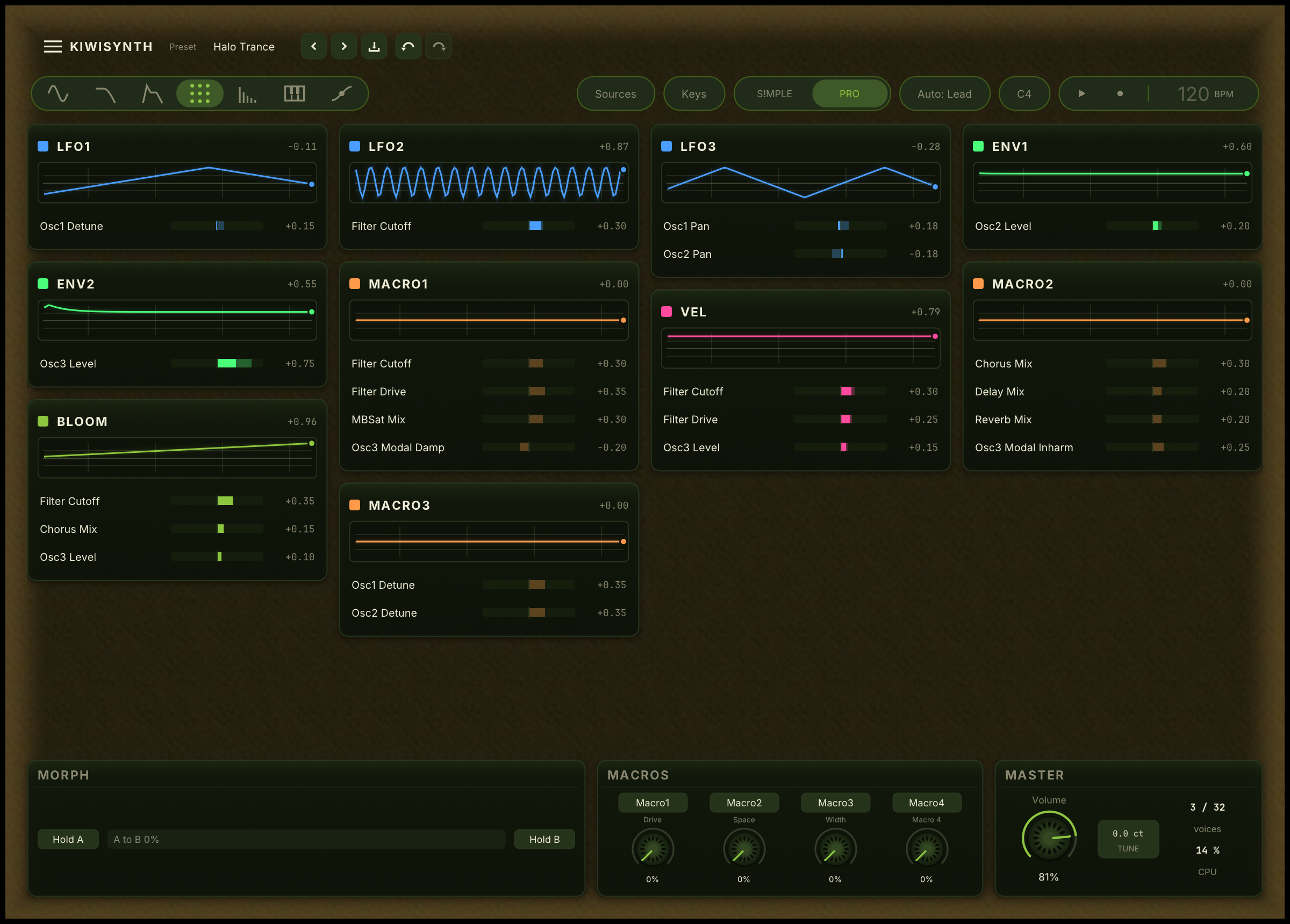
Any source can target any parameter, including other modulation sources. Drag from any source header onto any knob to create a routing. Right-click to set depth. The grid view shows every connection at once.

  • Mod-of-mod. An LFO can modulate another LFO's rate. An envelope can sweep a macro's depth. Dependencies resolve via topological sort, so everything stays in sync.
  • Audio-rate modulation. Flip a per-routing switch and selected targets, including wavetable position and filter cutoff, run at full sample rate. True FM and filter FM textures, directly from the mod matrix.
  • Animate This. Right-click any parameter for a context-aware modulation suggestion. Filter cutoff is offered a snappy envelope. Wavetable position is offered a slow drift LFO. One click adds movement.
Kiwisynth modulation matrix

19 modulation sources

CategorySources
LFOs4 independent LFOs with 6 shapes (Sine, Triangle, Saw Up, Saw Down, Square, S&H) and rate drift
Envelopes2 freely assignable ADSR envelopes
Macros2 assignable macro knobs, the primary DAW automation surface
PerformanceVelocity, Mod Wheel, Aftertouch, Pitch Bend
MPEPer-note Pressure, Slide, and Glide as first-class sources
RandomSample & Hold with per-voice independence
BloomChordComplexity, NoteBloom, RepetitionBloom (see below)

Bloom: modulation that listens

Three modulation sources that react to how you play, not just what you play.

ChordComplexity

Analyzes the harmonic relationship between all active notes in real time. A perfect fifth scores low. A cluster chord scores high. Route it to filter cutoff, effect depth, or wavetable position to make the sound respond to harmonic tension.

NoteBloom

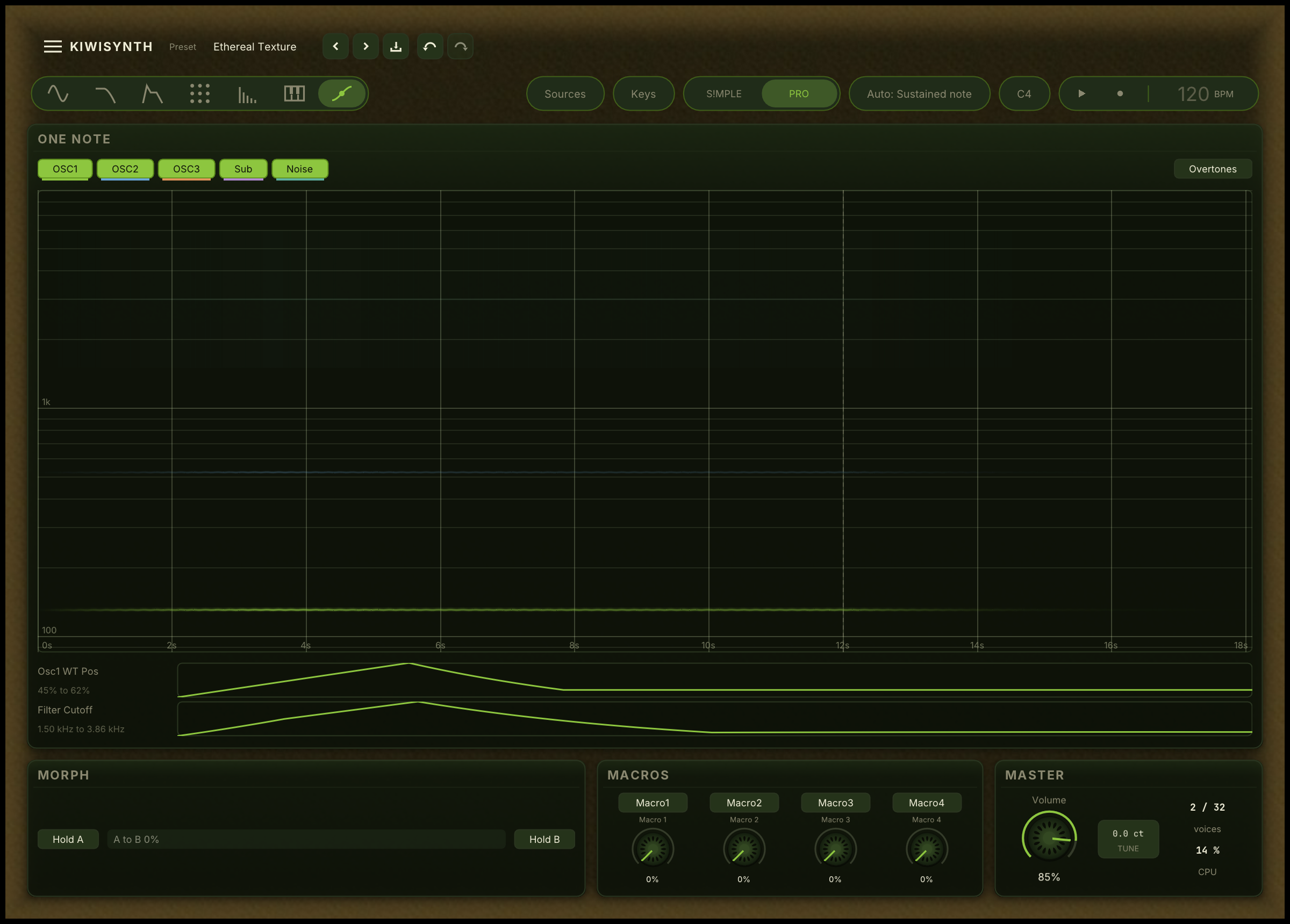
A per-voice time accumulator that rewards sustained notes. Hold a note and its character gradually evolves: brightness rises, the filter opens, texture shifts. Release and it resets.

RepetitionBloom

Tracks how often you return to the same pitch class. Repeated notes shift in timbre, encouraging varied voicings.

Zero-delay feedback filter

A state-variable filter modeled on Vadim Zavalishin's The Art of VA Filter Design, the same topology used in high-end analog emulations. Resonance sweeps cleanly into self-oscillation. Drive adds saturation in the feedback path for analog warmth without digital harshness. Filter FM routes OSC2 into the cutoff for classic subtractive FM tones.

  • LP12 / LP24. Low-pass at 12 or 24 dB per octave
  • HP12 / HP24. High-pass at 12 or 24 dB per octave
  • Band-pass. Isolates frequency bands with precision
  • Notch. Surgical frequency rejection
  • Comb. Short-delay feedback for metallic and resonant textures
  • Formant. Three-band parallel BPF with vowel morphing (oo, oh, ah, eh, ee)
Kiwisynth filter section

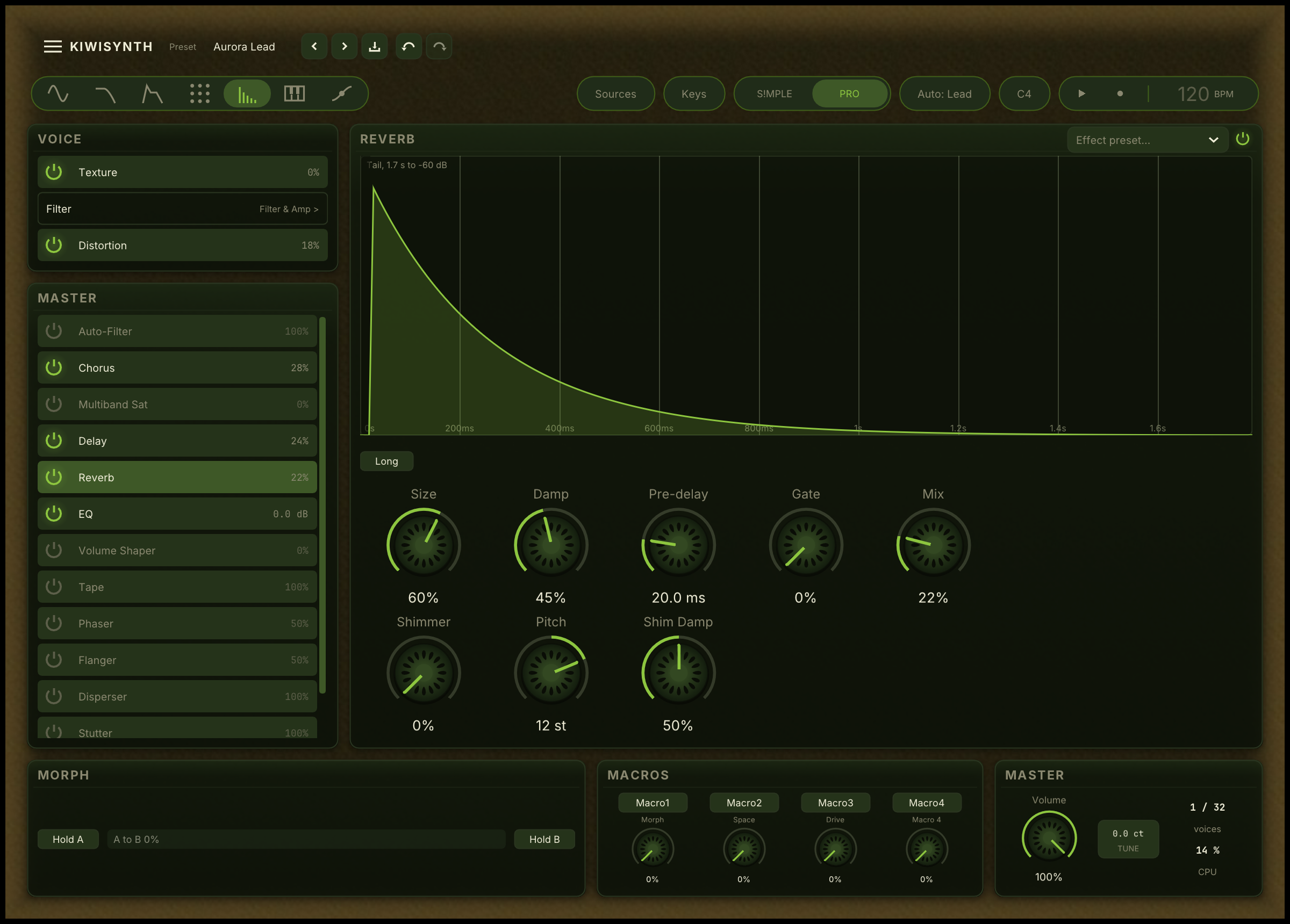
Built-in effects chain

Per-voice distortion plus a five-effect post-mix chain. Every effect has a bypass toggle, so no CPU is spent on what you are not using.

Distortion (per voice)

Soft Clip, Hard Clip, Wave Fold, and Bit Crush modes with independent drive and mix.

Chorus

Classic 4-voice mode plus a signature Ensemble mode with three delay taps modulated at mutually irrational frequencies (0.5, 0.31, 0.19 Hz) for non-repeating stereo width.

Stereo delay

Ping-pong topology with independent left and right time and cross-feedback.

Reverb

Schroeder/Moorer design with 4 parallel comb filters and all-pass diffusion, from tight rooms to deep ambient spaces.

3-band EQ

Shape low, mid, and high frequencies with up to 12 dB of cut or boost.

Multiband saturator

Three-band parallel compression and saturation with Linkwitz-Riley crossovers. Per-band drive and mix for OTT-style energy or subtle harmonic warmth.

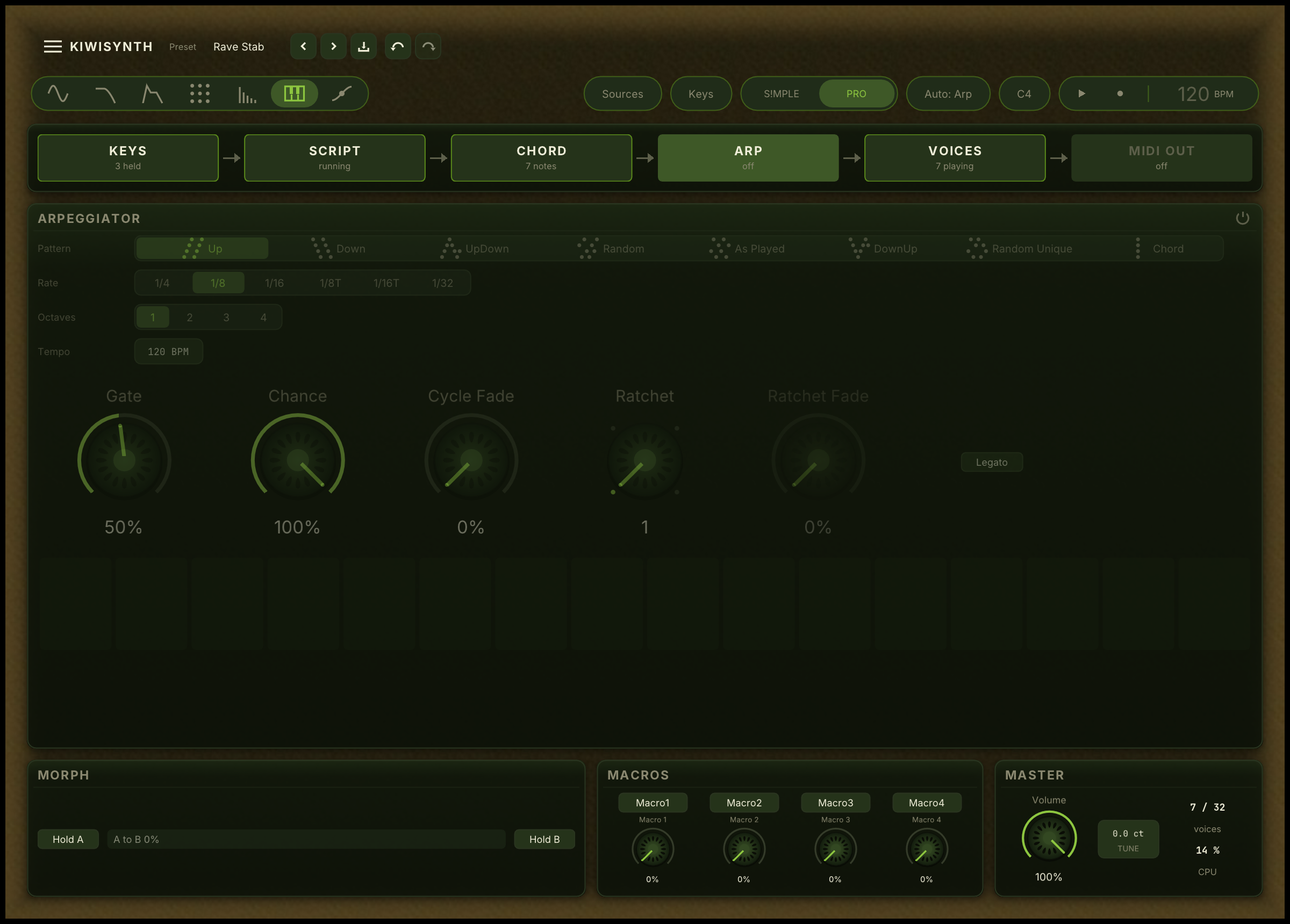
Patterns from a single chord

Hold a chord and the arpeggiator turns it into a moving line. Eight patterns (Up, Down, UpDown, DownUp, Random, RandomUnique, AsPlayed, Chord), six tempo divisions, adjustable gate length, and multi-octave range. Synced to host tempo or free-running.

Kiwisynth arpeggiator panel

36 factory presets

A chord progression and a melodic phrase for each preset. The Mode column shows whether a sound can be made in S!MPLE mode or whether it uses Pro-mode features.

Pick a preset below to start playing.
Category
Mode
Preset Mode Character Play

Tools for finding and shaping sounds

A/B morphing

Load two presets and crossfade between them. The morph interpolates parameters and modulation routings, revealing sounds in between.

Smart browser

Filter by category (Bass, Keys, Lead, Pad, Pluck, Texture), complexity (Simple, Moderate, Advanced), and character (Warm, Bright, Dark, Aggressive, Evolving, and more).

Scoped randomizer

Randomize modulation only, keeping the base patch intact. Three modes: Subtle (tweak depths), Rewire (change targets), Wild (new everything).

Specifications

Oscillators2x wavetable + sub + noise
UnisonUp to 16 voices per oscillator with independent drift
FilterZero-delay-feedback SVF: LP12, LP24, HP12, HP24, BP, Notch, Comb, Formant
Mod sources19 (LFOs, envelopes, macros, MPE, Bloom, performance)
Mod matrixAny-to-any, mod-of-mod, audio-rate opt-in, drag-to-assign
EffectsDistortion, Chorus / Ensemble, Stereo Delay, Reverb, 3-Band EQ, Multiband Saturator
Polyphony32 voices with intelligent voice stealing and 1/√N gain compensation
PerformanceFull MPE support, Portamento up to 2 seconds, Warmth control (pre-filter tanh saturation)
Presets36 factory presets, A/B morphing, smart browser, scoped randomizer
FormatsVST3, CLAP
PlatformsWindows 10+ (macOS and Linux planned for a later release)

Get Kiwisynth

Bundled with Kiwisonic, or grab the standalone plugin for your DAW. Free during the early preview.

v0.5.0 for Windows. macOS and Linux planned.