Early Preview · Kiwisonic and Kiwisynth are free during early preview. The shape of both products is still being figured out, and feedback is what drives them forward.

Sketch ideas fast, then build them into songs

You know your way around chords and melody. Kiwisonic gives you a piano roll with the theory built in, generators to break a blank page, editors shaped around each instrument, and a way out into your own plugins. Go as deep as you like: it scripts, automates, and exports. New to writing music? The beginner guide starts gentler.

A piano roll that knows the harmony

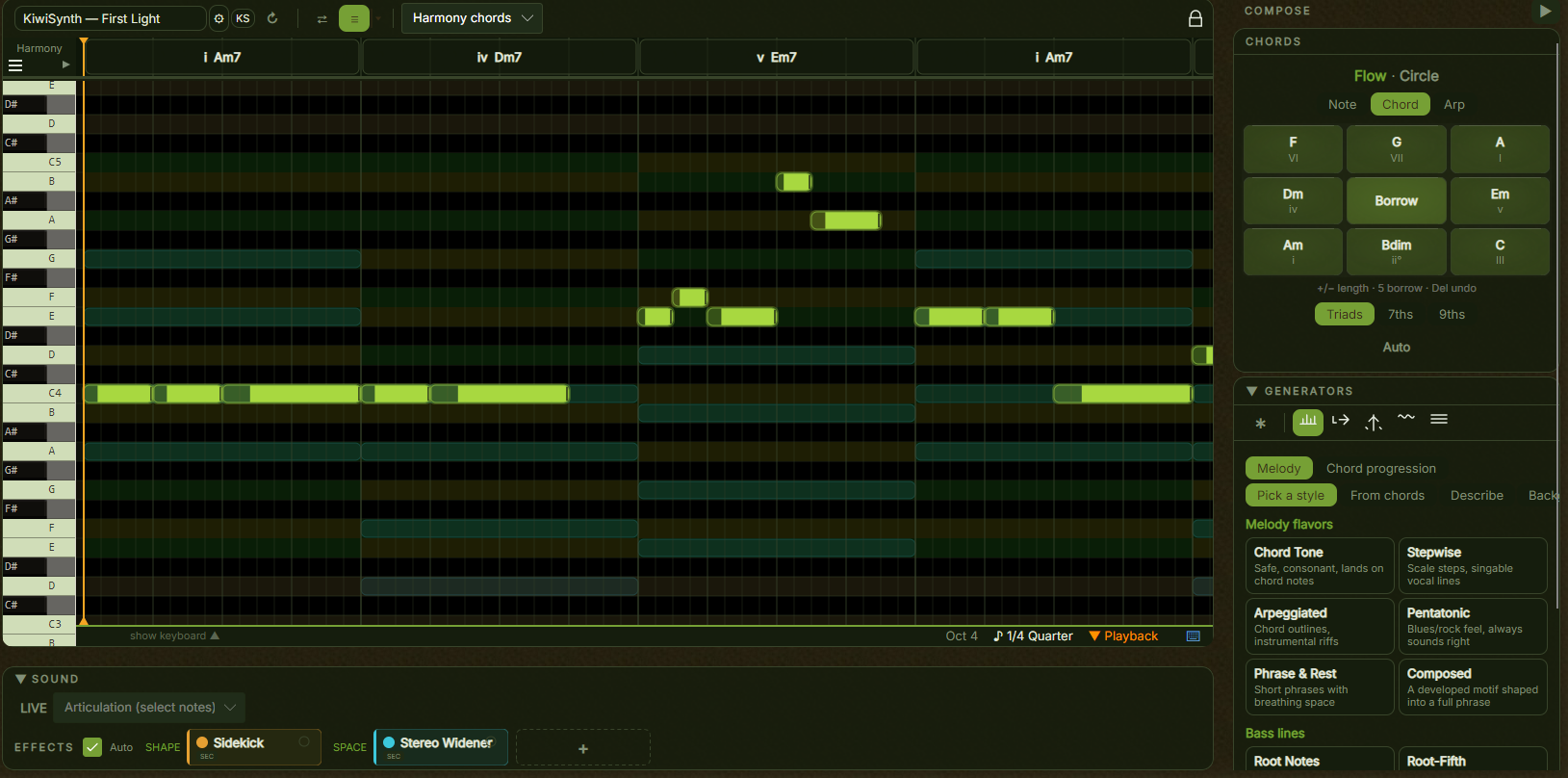
Write melodies, bass lines, and synth parts on a grid that stays aware of your key and your chords. Out-of-key rows are dimmed, the harmonic timeline above the grid carries your progression, and chord tones tint as the cursor moves through each chord. Ghost notes show what other tracks play in the same section.

  • A velocity lane shapes dynamics per note, and quantise snaps timing to the grid
  • Chord tones are tinted per chord, so the strong landing notes are always visible
  • Ghost notes overlay other tracks, like tracing paper over another part
The Kiwisonic piano roll

Four generators, four different jobs

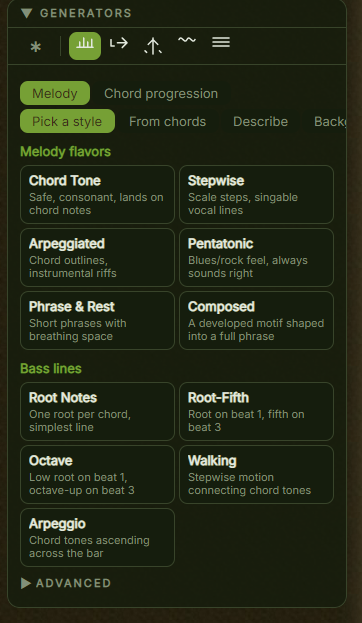
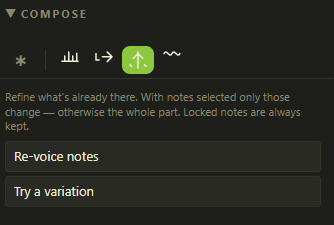
The compose toolbar sits above every melodic editor and holds four genuinely different generators, not four flavours of one. Boilerplate lays something down from a style, from your chords, or from a plain-text brief. Resume continues the phrase you started. Improve fixes what is already there. Contour shapes it to a curve you draw.

  • Melody styles run from Chord Tone and Stepwise to Phrase & Rest and Composed; bass lines build straight from the progression as Root, Walking, Arpeggio, and more
  • Improve works offline and always keeps locked notes: fix stray notes, try a variation, resolve an ending, or follow the chord contour
  • Lock the notes you like with Alt+Click, then Ctrl+R rerolls only the rest. Lock first, then generate
  • Pick a style is local and deterministic when you lock the seed, so the same seed gives the same part back
The generators pane with melody flavors and bass lines

Draw the shape, get the notes

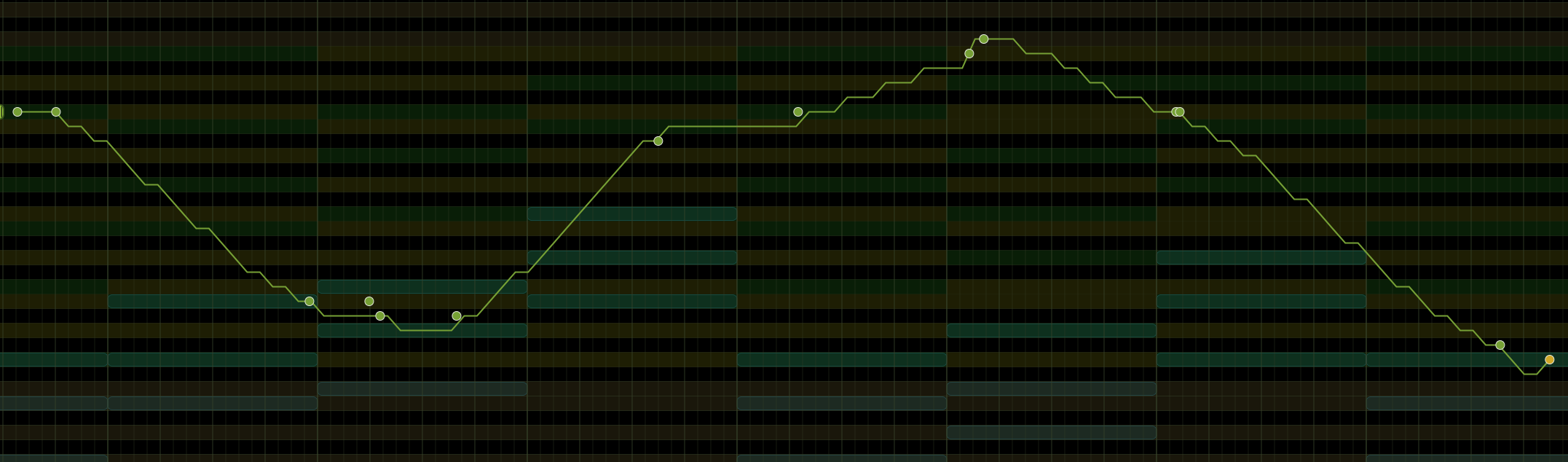
When you know the arc of a phrase before the notes, draw it. The contour tool lets you sketch a curve over the grid: a slow rise, a peak in the middle, a fall at the end. Kiwisonic generates notes that climb and fall with it and snap to your scale and chord tones.

  • Drop control points and the curve smooths between them, from a simple rise to a multi-peak shape
  • Six presets load common shapes in one click: Arch, Rising, Falling, Wave, Late peak, Plateau
  • Locked notes survive, so you can anchor the start and end and let the curve fill the middle
Drawing a phrase contour over the grid

A track that writes itself from another one

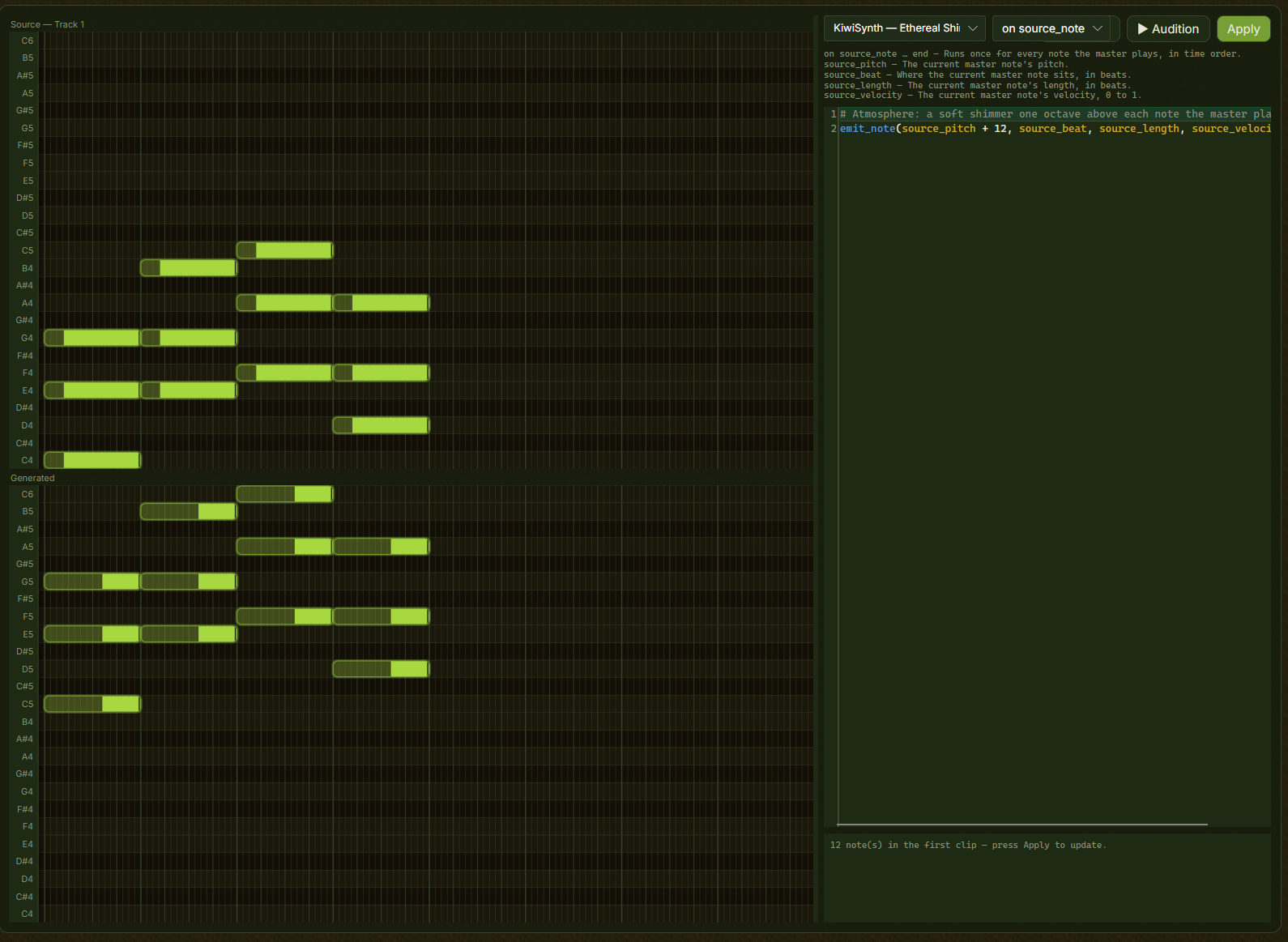
A generated track follows a melodic master and derives its own part from it, re-deriving whenever you edit the master. Pick a recipe and it works straight away: Atmosphere lays a soft shimmer an octave above, Sub pad holds a layer below. When you want something else, a short BASIC-style script decides how. Most are two or three lines, and you do not need to have programmed before.

  • Six handlers: on init, on bar, on beat, on source_note, on source_chord, and on harmonic_chord
  • Helpers do the theory: chord_tone(), arp_tone(), snap_to_key(), euclid(). random() is seeded from the track, so the part never reshuffles itself
  • Source and generated notes sit on two stacked piano rolls; the console checks as you type and clicking an error jumps to its line
  • It runs at generation time, not during playback, and emits real notes that play and export like any part you wrote by hand
The generated-track script editor, with source and generated notes

The FlowPad and the Circle of Fifths

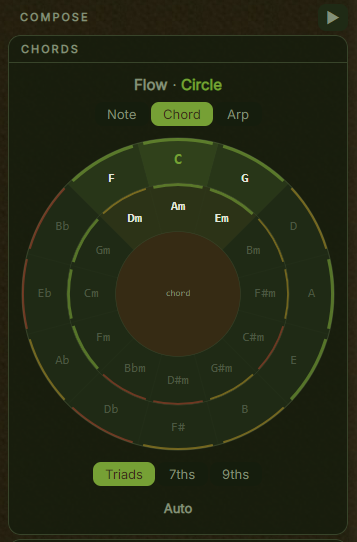
Two views of the same harmony engine, answering two different questions. The FlowPad answers "what fits next?" on a fixed numpad grid, colour-coded after each pick: green for a smooth move, yellow for colour, red for tension. The Circle answers "how far apart are these chords?", with your key lit and recommendation arcs rating each as a follow-up. Use the Circle to learn, the FlowPad to work fast.

  • Both rank from the same functional-harmony engine, so the advice agrees across the two views, and both re-rank to your genre: jazz promotes ii-V-I chains, folk favours I-IV-V
  • Switch between triads, sevenths, and ninths; insert a note, a chord, or an arpeggiated pattern
  • Hover the Circle and it names the degree and the move: dominant, pulls back to I
  • Chords feed the harmonic timeline above every melodic editor, the guitar editor, and the bass generator
The Circle of Fifths view

Critique: a per-note read of a passage

Critique grades every note in a section against the chord under it, so you can name what is bugging you about a phrase you cannot diagnose. It is an analyser, not a fix: nothing changes. Notes that work are left alone; notes it cannot excuse get a red stripe with a reason and a concrete remedy.

  • Two states, no middle band: a red stripe means the note could not be excused, no stripe means it works
  • Hover a working note and it names the figure: chord tone, passing tone, neighbour tone, suspension, anticipation, appoggiatura, escape tone
  • Flagged notes carry a Try list, such as a leap of more than a third that never steps back the other way
  • It grades rhythm nowhere and models no genre: one set of figures, tuned for tonal and modal pop. Isolated stripes are usually a wrong note, clusters a phrase-shape problem
The Improve pane, where Critique runs

Sections, or a free-form timeline like your DAW

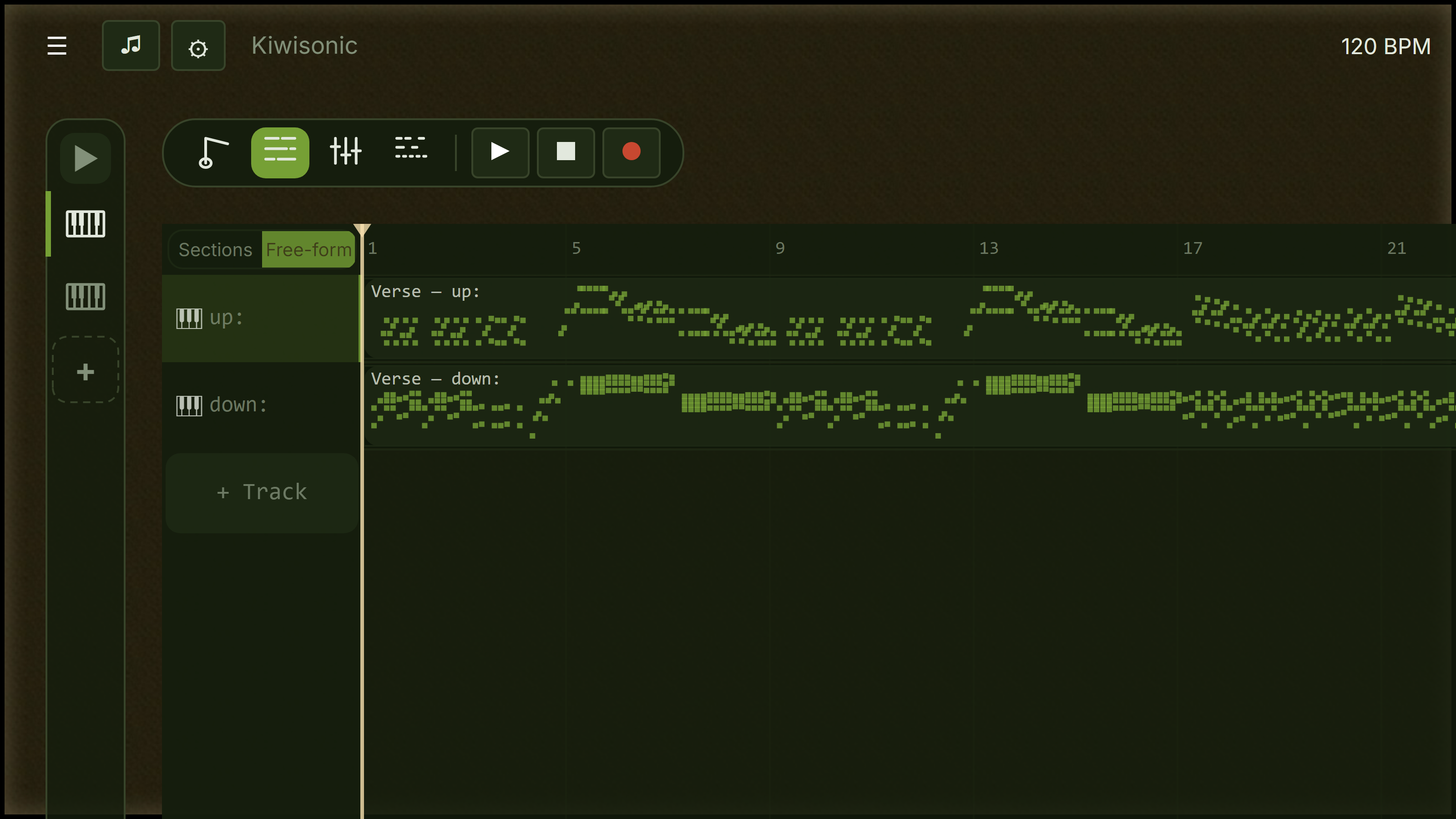
Sections gives you a grid: intro, verse, chorus, each cell holding one pattern for one track. It is the fastest way to sketch a song with a clear form. The free-form timeline works the way a traditional DAW does: no sections at all, just a bar grid and clips you place exactly where you want them. Reach for it when the arrangement does not fit a neat grid, like a fill that lands half a bar early, a one-off riff, or a pad that runs wherever you like. Pick the one that matches how you think.

  • Sections: drag a header to reorder, right-click a cell to copy a part to every section of the same kind, so all three choruses land at once
  • Free-form: double-click empty space to create a clip, Alt+drag to drop an independent copy. Clips snap to the bar and never overlap
  • Stretch a clip's right edge and the pattern loops to fill, shown as tiled previews. Edit it once and every repeat follows
  • Both views work on the same tracks and patterns, so you can switch any time without losing a note. Switching never deletes your sections, the free-form view just does not show them
The arrangement grid

Melody, bass, groove, and pad in one pass

The Generate page fills a whole section at once, the way a band builds a part: the drums lay down the grid, the bass locks onto the kick, the melody phrases against that groove, and the pad fills what is left. Nothing is written until you press Apply, so rerolling costs you nothing.

Reroll what you don't like

Roll one layer again, or lock the ones that work. A locked layer still shapes the layers you regenerate around it, so the parts keep agreeing.

Audition before you commit

The preview loops through your actual instruments, effect chains, and tempo, not a stand-in voice. Discard it and there is nothing to undo.

One curve across the song

Kiwisonic plans the energy of the whole song once, from your section roles, so a verse written today and a chorus written tomorrow still agree. If two neighbours come out alike, it nudges one apart.

Automation, note effects, and MIDI routing

Shape the detail across an arrangement. Automation draws a parameter as a breakpoint envelope across a section, for a filter sweep that builds or a reverb that swells into the chorus. Note effects handle the exception: one note, not the whole track. And generated MIDI routing lets one instrument drive another.

  • Automation lanes are created on demand from any macro's Automate button, with shape presets for Ramp, Swell, Dip, and Build & Drop
  • Values resolve in a stated order: the track setting, then the section, then the automation lane, then a per-note override while that note sounds
  • Per-note work: override an effect's preset or macros for one note, retrigger it into 2 to 16 stutter hits, or Shift+right-click to stack it into a chord
  • Route Kiwisynth's arp or motif to play another track's instrument, then Capture to notes to freeze the pattern into notes you can edit by hand
An effect's popup card, where a macro's automation lane is added

Editors shaped around each instrument

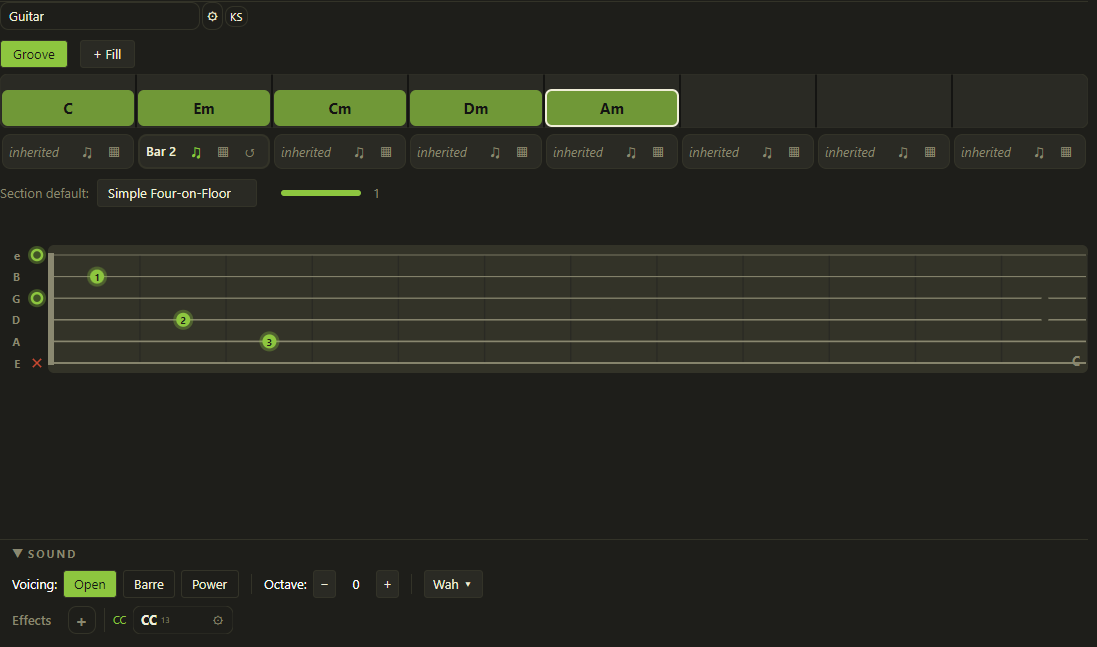
Each instrument gets an editor built around how it is really played. A guitar track keeps the chord progression and the rhythm apart: place chord blocks, set a strum pattern, and the engine resolves a playable voicing and spreads each strum across the strings.

  • Three voicing styles: Open, Barre, and Power chord
  • A 16-step strum grid sets direction, velocity, technique, and strum speed per step
  • Per-section overrides let one track fingerpick the verse and drive the chorus
The guitar chord editor

Wind and bowed strings, played right

Wind and bowed string tracks use a piano roll with controls built around how the instrument expresses itself. Each editor constrains the instrument to its real range and gives you the articulations that shape its phrasing.

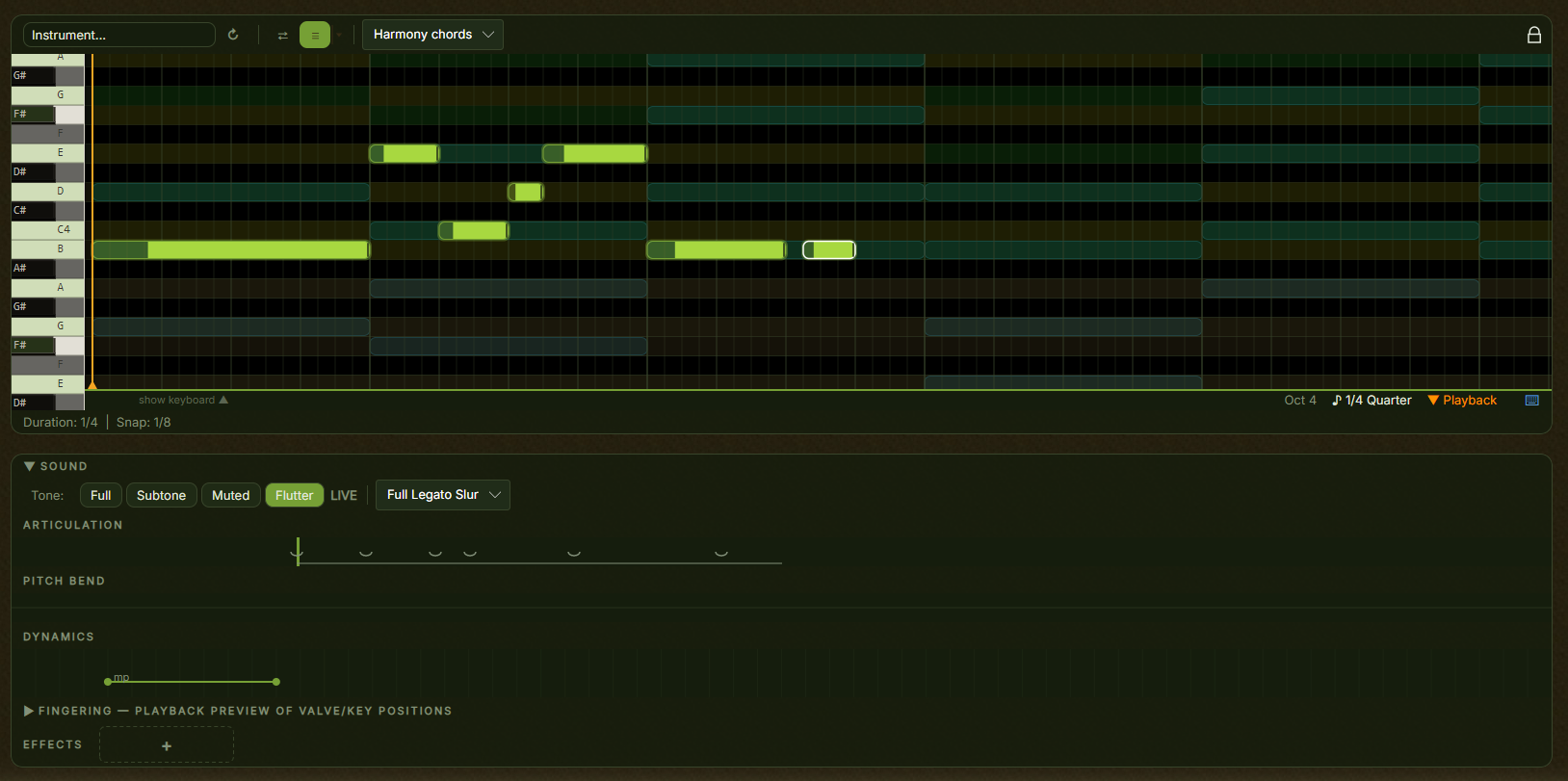
  • Wind: tonguing per note, tone modes from full to flutter, and a pitch-bend lane for scoops and falls
  • Bowed strings: bowing presets, seven tone colors from arco to pizzicato, and per-note vibrato and glissando
  • Dynamics strips shape volume across a phrase, from a gentle swell to a hard accent
The wind instrument editor

A channel strip and a full effect chain

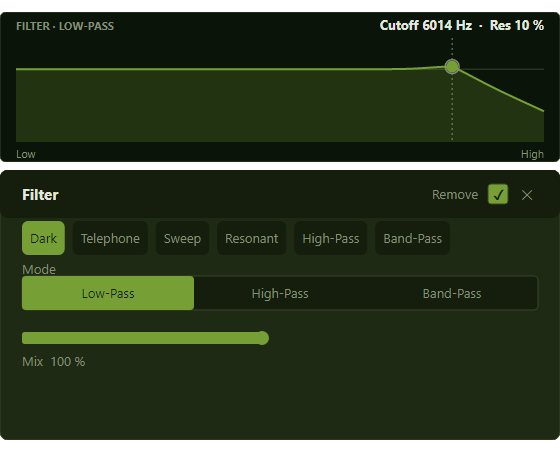
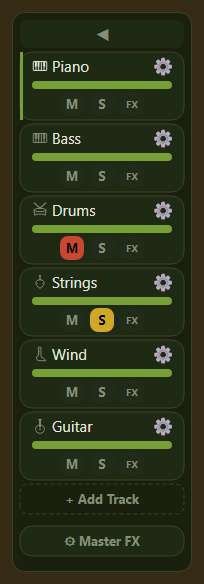
Every track has a mixer channel with volume, pan, mute, solo, and a three-point EQ drawn over a live spectrum. Behind it sits an effect chain ordered the way engineers work: shape, then colour, then space, then character, then volume. Some effects stay fixed for the track, others change per section, so a verse can stay dry and the chorus open up.

  • Shape and colour: compressor, saturation, bitcrusher, tone, chorus, pitch. Space and character: filter, delay, reverb, vinyl, scratch, gate
  • Playback switches to each section's settings as the playhead enters it, so the chorus opens up without any automation work
  • Sidekick pumps a track in time with the beat from a curve you pick as a picture, with no sidechain routing to wire up
  • The comparison overlay draws every track's spectrum on one graph, so masking shows up as overlapping colour rather than a hunch
  • Simple mode gives you faders and meters only. Advanced adds the dB readouts, spectra, and per-band frequency and width
The mixer panel with per-track faders and Master FX

Drop in a vocal, a loop, or a field recording

Audio tracks sit alongside your written parts. Drop in WAV, AIFF, FLAC, or OGG and place clips on the timeline, each with its own processing, so a dry vocal, a loud loop, and a one-shot can share a track and still get what each needs. Kiwisonic does not record audio: capture it elsewhere and drop the file in. Clips play at their native pitch and tempo, so a loop recorded at 100 BPM will not follow a 120 BPM project.

Fades and crossfades

Fade in and out in milliseconds, with a linear, equal-power, or exponential curve. Overlap two clips and they stack into lanes and play in parallel.

Per-clip processing

Level, a high-pass and low-pass filter, three parametric EQ bands, a gate and compressor, and a transform for varispeed pitch, reverse, and polarity.

Auditioned live

Every setting is heard as you make it, saved with the project, and carried along when you copy the clip.

Built-in instruments, plus SFZ and VST3

Kiwisonic ships with instruments ready on first launch and plays your own sounds alongside them. Assign any of them to a track and start writing, then bring in the libraries and plugins you already own.

  • An Electric Piano modeled on the Rhodes, plus fully synthesized TR-808 and TR-909 drum machines
  • Load your own SFZ sample instruments and VST3 plugins on any track
  • Kiwisynth is bundled in, and installs as a standalone plugin too. See Kiwisynth →
A melodic track editor

Mix down, then take it with you

The master chain runs after every track and before the final output limiter, so it hears the mix exactly as it leaves Kiwisonic. Every effect is available there, with one setting for the whole song: glue compression on a stereo-linked detector, saturation for bite, a high-pass around 20 to 40 Hz to clear sub-rumble that eats headroom.

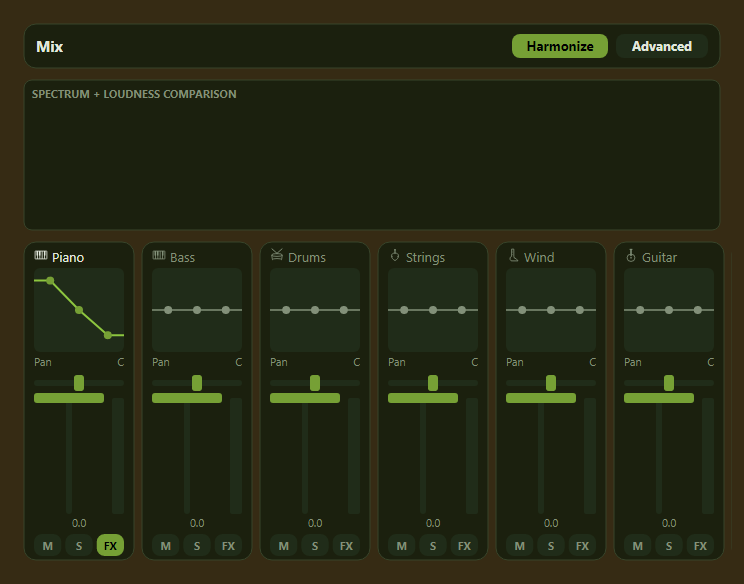
  • Harmonize measures the playing mix and writes an 8-band graphic EQ per clashing track, in small cuts you can open and flatten
  • The lowest-living track keeps the low end, the most present track keeps each band, and tracks that already have their own space are left alone
  • Export your song to WAV, or to MP3 where the system LAME library is present
The Mix view in advanced mode

Put it to work on a real track

Free during early preview. Windows 10 / 11 and 64-bit Linux. No payment, no account required.

Download Kiwisonic