Strings editor
The strings editor is for violin, viola, cello and string ensemble parts. It is a piano roll with bowing controls layered underneath it.
Why bowing gets its own controls
A string player draws a bow across the strings to make them vibrate, and how the bow moves, its speed, its pressure, where it sits on the string, changes the sound completely. A smooth connected stroke is warm and lyrical. A short bouncing stroke is crisp and rhythmic. Plucking with a finger instead of bowing is another sound again.
Those techniques are what the bowing presets and tone colours give you.
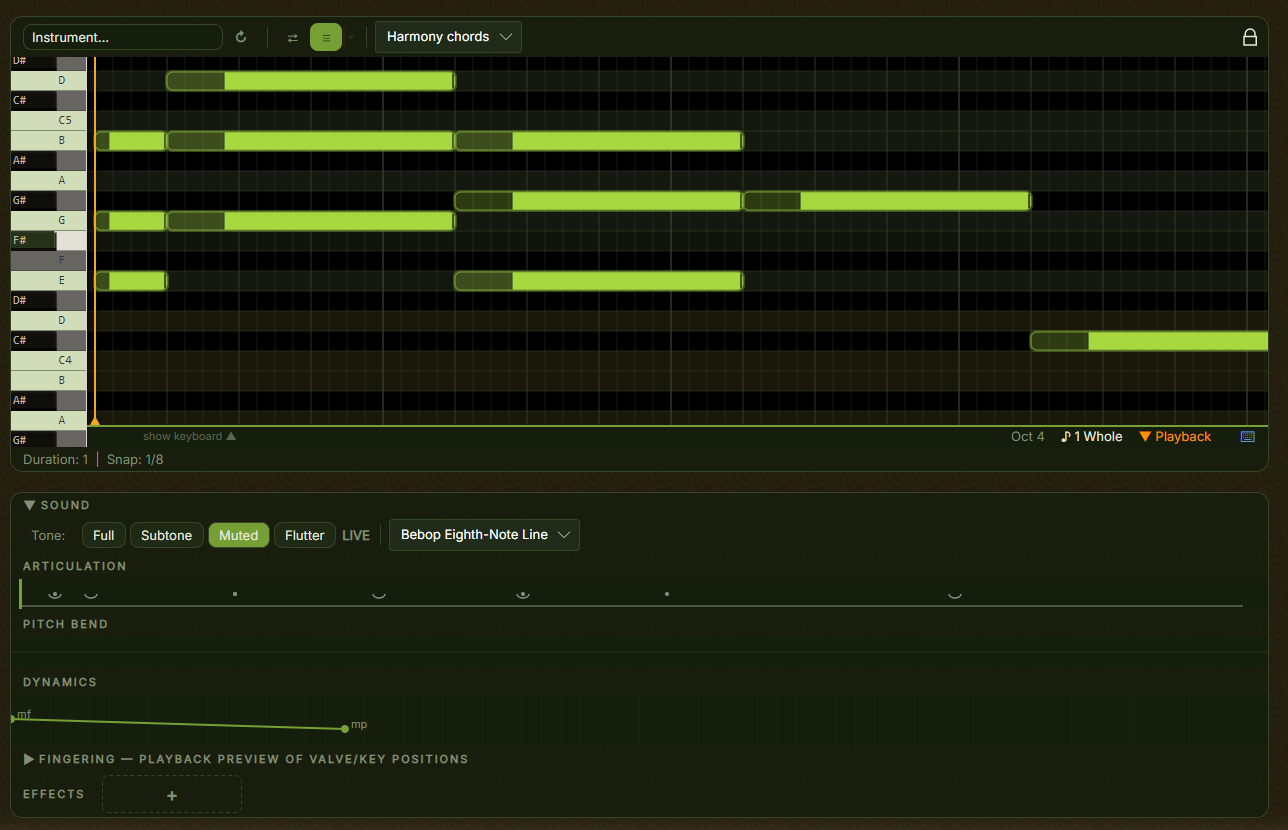
Header toggles
FX switches on humanization, small timing and velocity variations that stop notes sitting exactly on the grid.
Ripple resize makes growing or shrinking a note shift the later notes so they stay contiguous.
Guides shows the note guides: scale focus, melody hints and chord emphasis over the grid.
The note grid
Time runs left to right and pitch bottom to top, with a key strip on the left showing the note names. Click to place a note, drag to move it, drag its right edge to resize.
Bow tone colour
The row of buttons in the header sets the tone character of the whole pattern.
| Tone | Sound |
|---|---|
| Arco | Normal bowing, smooth and sustained. The default. |
| Sul Pont. | Bowing near the bridge: glassy, metallic, rich in harmonics. For eerie or intense passages. |
| Sul Tasto | Bowing over the fingerboard: warm, soft, flute-like. For gentle passages. |
| Tremolo | Rapid back-and-forth strokes, a shimmering sustain. The orchestral drama sound. |
| Pizz. | Plucked rather than bowed, short and percussive. Common in jazz and lighter arrangements. |
| Harm. | The string touched lightly for a pure, bell-like overtone. Ethereal and glassy. |
| Col Legno | Struck with the wood of the bow: a dry, percussive tap, rhythmic rather than pitched. |
The tone colour applies to the whole pattern, so different sections can use different patterns with different colours.
Bowing presets
The preset picker below the note grid loads a stroke pattern from the catalog, which sets the bow stroke for each note.
| Stroke | Effect |
|---|---|
| Detache | Separate strokes, one per note. Clear and distinct. |
| Slur | Several notes in one stroke. Smooth and connected. |
| Staccato | Short, stopped notes with space between them. |
| Marcato | Strongly accented, each note starting with a heavy attack. |
| Spiccato | The bow bounces off the string. Light, quick and energetic. |
Presets are tagged by genre and section type, so you can find ones that suit the song.
The articulation strip
Below the grid, the articulation strip shows how consecutive notes connect inside a bow stroke. Each marker sits between two notes and describes that transition. Bow direction is shown above each stroke group.
| Marker | What it means |
|---|---|
| Legato | The notes flow into each other in one continuous bow motion |
| Detache | Each note gets its own stroke, clear and distinct |
| Accent | The next note starts with a sharp, heavy attack |
| Staccato | A short, stopped note with a small gap after it |
| Tenuto | Full duration with slight emphasis, no gap and no overlap |
| Sforzando | A sudden loud attack, then a gap before the next note |
| Down-bow | The player pulls the bow downward |
| Up-bow | The player pushes the bow upward |
Click a transition marker to cycle through the styles. That is how you fine- tune after loading a preset, slurring most of a phrase but accenting the downbeat.
Use legato for lyrical, singing melodies, especially slow ones. Detache is the default for most playing, when each note should be heard clearly without gaps. Put accents on downbeats and important notes, and use few of them, because too many stop meaning anything. Staccato gives light, bouncy rhythms and works at faster tempos. Tenuto rings the full duration with a gentle emphasis, for sustained lines that want presence without the smoothness of legato. Sforzando is for drama and should stay rare, on a climactic note or an unexpected harmonic turn.
Per-note effects
The strip also carries per-note effects above each note. Right-click to cycle through them.
Vibrato oscillates the pitch slightly, which adds warmth and expression to a sustained note. Glissando slides the pitch up into the note from below, for a dramatic entrance. Neither depends on the transition style around it.
Dynamics
The dynamics strip sets how loud each bow stroke is across its length. Each stroke is a line with a handle at each end, one for where it starts and one for where it ends.
Higher on the strip is louder. Each handle is labelled with a dynamic level, from pp through mf up to ff. A flat line holds steady, a rising line is a crescendo, a falling line a diminuendo.
Drag a handle up or down and it snaps to the nearest level. Changes take effect on the next playback.
Take a stroke from p up to f to build into the climax of a phrase, and from mf down to pp for a fade at the end of a section. Keep most strokes around mf as a neutral default, and save ff for the moments that need it.
Playback preview
At the bottom, a live view shows finger positions and string activity while the part plays. It is the quickest way to spot an awkward transition.
VST strings and articulations
With a VST string library, the strokes, transitions and effects you set here have to be converted into whatever the plugin expects.
Most orchestral libraries listen for dedicated MIDI notes to switch between sustains, spiccato, pizzicato and col legno. Some listen for a control-change message instead, and a few for program changes.
The mapping is filled in from the shared catalog whenever one exists for your plugin, including per-instrument mappings inside packs that bundle several sections. Normally there is nothing to do.
If the catalog has no entry for your plugin, you can add a mapping file to the articulation maps folder under your local application data. Copying a similar catalog entry as a template is the quickest way to start.
Playing techniques the plugin does not support show greyed out in the tone colour and articulation menus, so you can see what it can do before you write for it.
Keyboard shortcuts
All the shared editor shortcuts apply here. See keyboard shortcuts.