Spectrum
The Spectrum tab shows the sound against frequency, measured from the engine at the lowest note of what is playing, and it is where the sound's balance is set. Three settings live only here: Weight, Drive and Tone.
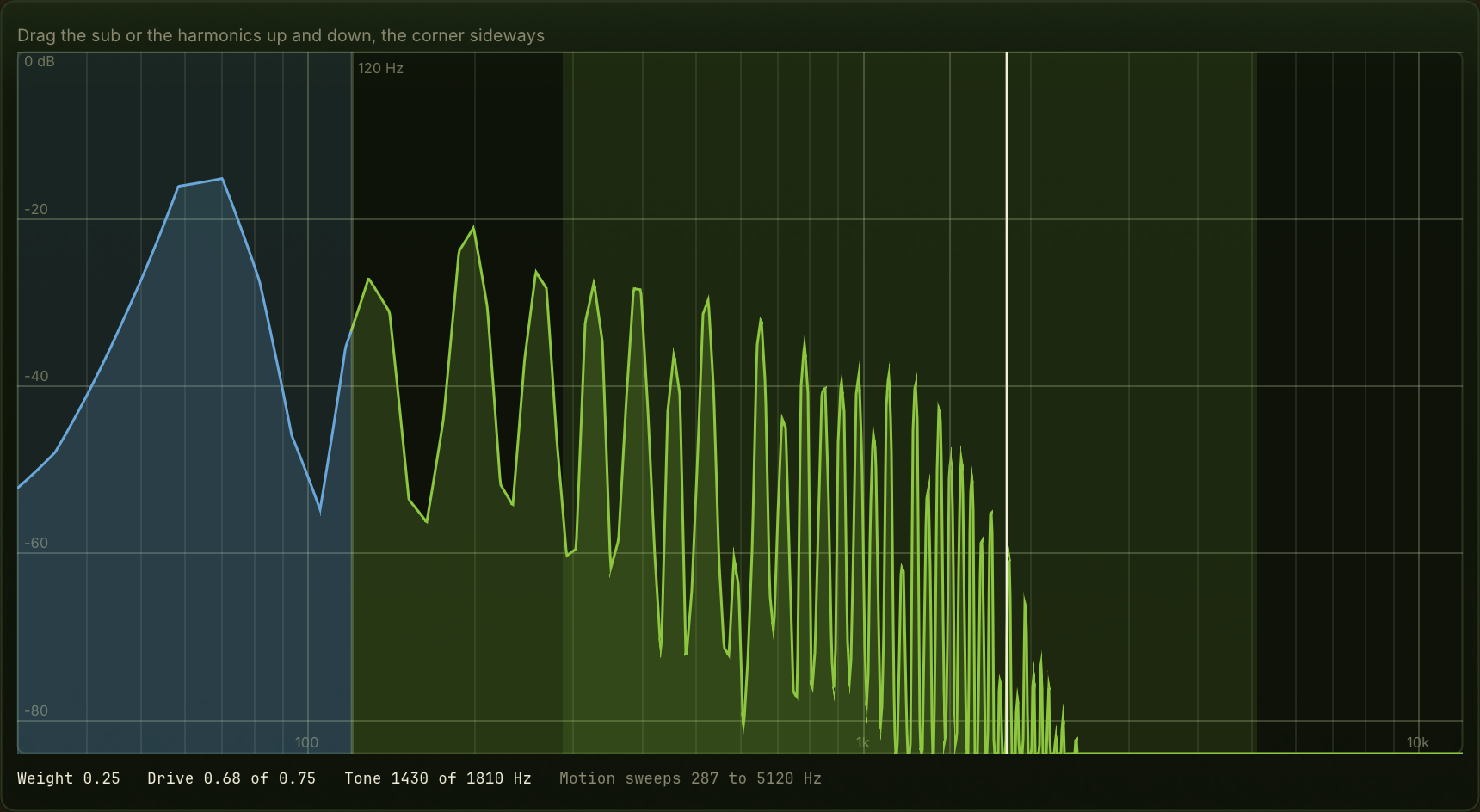
The picture
Frequency runs across and level up, both on a log scale, so the octave the sub lives in gets as much room as the octaves above.
- The sub, in its own colour, left of the crossover line at 120 Hz. The band left of the line is tinted even when it is empty, because nothing above the line can get into it.
- The harmonics, right of the line: what Drive creates and Tone shapes.
- The corner, a vertical handle: where Tone has the filter.
- The sweep band: how far Motion carries the corner either side of it.
- A thin line where the phrase has the corner now, when the arc has moved it away from the handle.
The trace is measured again whenever something it depends on moves, the arc included.
Dragging
Left of the crossover, up and down, sets Weight: the sub against the harmonics. Turned up, the sound is mostly sub. At full Weight there is nothing above the crossover, and the tab says so.
Right of the crossover, up and down, sets Drive: how much the harmonic layer is shaped. Turned down, it is close to a plain tone; turned up it grows harmonics, and past a point it changes character rather than only adding more. Drive changes timbre, not loudness.
The corner, sideways, sets Tone: where the filter on the harmonic layer closes. Turned down, the sound is dark; turned up, it opens.
Whichever side a drag starts on decides what it moves until you let go, so a drag that crosses the line does not switch halfway.
The readouts
Weight, Drive and Tone in their own units. When the arc has Drive or Tone below its setting, the readout shows both: where it is now, of the setting. With Motion on, the range the corner sweeps, in Hz.