Motion
The Motion tab draws a cycle that repeats inside the beat: a filter sweep, a pumping level, a drive that breathes. Where the Arc moves over bars, Motion moves over beats.
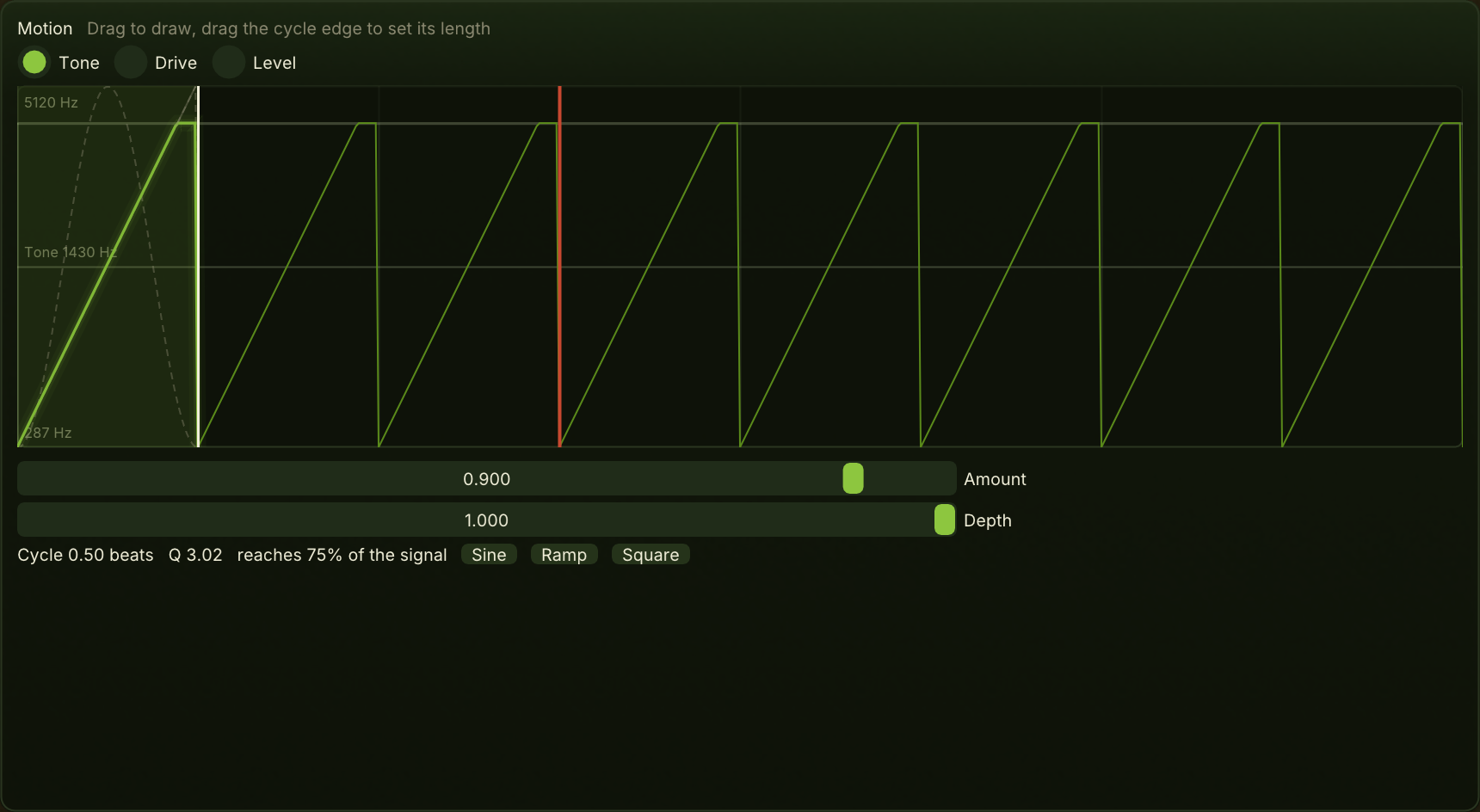
Lanes
Tone sweeps the filter corner and makes it resonate as it goes deeper. Drive closes the drive at the bottom of the cycle; the top is the Drive setting itself. Level ducks the whole voice at the bottom of the cycle: a ramp pumps like a sidechain, a square gates.
Tone and Drive act on the layer above the sub. Level acts on everything.
The canvas
Drag to draw the selected lane. Drag the edge of the shaded first cycle to set the cycle's length; it snaps to lengths that sit on the beat, from a sixteenth up to four bars. The canvas shows enough beats to see the cycle repeat.
- The first cycle is the one you edit. The repeats after it follow it.
- The bright trace is what is played. Where it parts from your drawing, the drawing is being clipped, and the thin line shows what you drew.
- The walls, on the Tone lane, are where the filter reaches the top or bottom of its range. Anything drawn past a wall does nothing; the area beyond it is shaded. The walls move as Tone and Depth change.
- The other lanes show their first cycle, dimmed, so you can see how the lanes sit against each other in the beat. A lane that is not reached is dashed.
- The labels give the lane's range in its own units: Hz for Tone, the Drive value for Drive, dB for Level.
The canvas warns when nothing can move: when Amount is zero, when the lane's depth is zero, or when Weight is full and a Tone or Drive lane has nothing above the sub to act on. With Weight high, the trace dims to show how little of the sound the lane reaches.
Amount
How much of the cycle reaches every lane at once. At zero nothing moves.
Depth
How far the selected lane moves, under Amount: how far the filter sweeps, how far Drive closes, how deep the level ducks. On Tone, more depth also means more resonance.
The arc's Motion lane breathes this depth over the phrase, so the canvas always shows the depth being played now, not only the slider.
The readout
The cycle length in beats, then for Tone the resonance and how much of the signal the lane reaches, for Drive how far it closes, and for Level how many dB it ducks.
Sine, Ramp and Square
Replace the selected lane's drawing with a sine, a ramp or a square cycle.